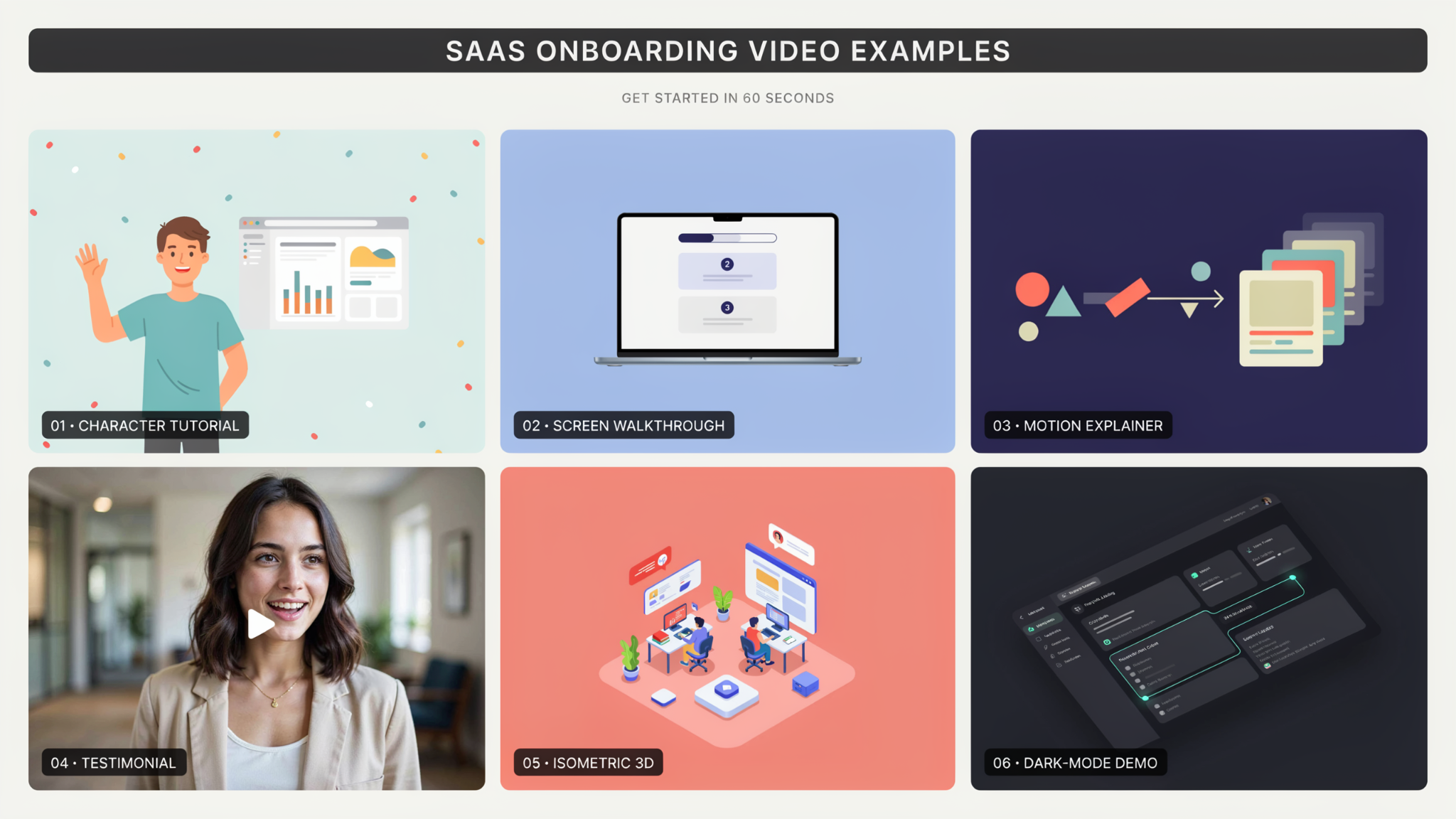
Your new user just signed up. They’re looking at an empty dashboard; they have maybe four minutes of patience left, and nothing tells them what to do next. Whether they ever come back is mostly decided in that window.
That window is what SaaS onboarding videos exist to protect. They aren’t marketing assets that happen to live behind a login. They’re a different format with a different success measure, and teams treating them as leftover marketing content get leftover results.
This guide covers how to find your activation moment, what to build around it, and how to tell whether it worked.
Key Takeaways
- SaaS onboarding videos have a different job than marketing videos. One wins attention; the other delivers a first result.
- Find the exact moment a user first gets value, then build backward from it.
- One video per outcome beats one long tour of every feature.
- The empty first screen is the hardest thing to teach and the most common place people quit.
- Short, skippable, and repeatable beats polished and linear.
- Measure activation rate and time to first value. View count tells you nothing here.
Onboarding Video Has a Different Job Than Marketing Video
Judge these by a completely different scoreboard, because the viewer has already bought in. Persuasion is finished. The only remaining question is whether they can get the thing to work.
A marketing video succeeds when someone signs up. That’s a broad, skeptical audience, and the job is interest. A SaaS explainer video on your homepage does exactly that work, as do gated assets like the ones covered in explainer videos as lead magnets.
Onboarding starts after all of that. The viewer is motivated, logged in, and stuck. They don’t need convincing; they need a path. Which means the charm, pacing, and abstraction that make top-of-funnel video effective become obstacles here.
That matters most in how you handle time. A user watching to solve a problem abandons a video that takes thirty seconds to reach the point, however good those seconds are.
Find Your Activation Moment Before You Script Anything
Identify the single action that predicts a user sticking around, then build everything toward it. Without that, you’re making a product tour and calling it onboarding.
Every product has one. It’s the first time the user gets a real outcome rather than a configured setting. Sending the first campaign. Seeing the first report populate with their own data. Getting the first answer that would have taken an hour manually.
Find yours by comparing cohorts. Look at users still active after thirty days, then at what they did in their first session that churned users didn’t. The gap is usually obvious. Everything in your SaaS onboarding videos should point at it.
Why Do New Users Abandon a Product They Just Signed Up For?
They quit because the gap between signing up and getting a result feels longer than the problem is painful. Four causes account for most of it.
The blank screen. Users land in an empty state with no data, no examples, and no obvious first move.
Setup before payoff. Products that demand integrations, imports, or invites before showing anything useful are asking for trust they haven’t earned.
Unclear next action. The interface is functional but nothing signals which of eleven buttons matters first.
Wrong mental model. The user expected the product to work one way, it works another, and nobody corrected the assumption.
One Video Per Outcome Beats One Tour of Everything
Build a short video for each outcome a user might want, not one long walkthrough of your interface. The tour is the single most common mistake in this format.
The logic feels sound. You built many features, users should know about them, one video covers everything. What happens instead is the user watches four minutes about features they’ll never touch and still can’t do the one thing they came for.
Most features go largely unused anyway. Pendo’s research into feature adoption found that a large majority of product features are rarely or never used, which means a comprehensive tour spends most of its runtime on things that don’t matter to the person watching.
A focused product onboarding video does the opposite. One outcome, start to finish, ninety seconds. Users pick the one matching their intent and skip the rest.
Where in the First Session Should the Video Appear?
Trigger it at the moment of confusion, not at the door. Timing changes performance more than content quality does.
The default is a welcome video on first login, the worst available slot. The user arrived with momentum and a goal, so interrupting that reads as an obstacle. Most dismiss it unwatched.
Better placements sit where people actually stall. On the empty state, where there’s nothing else to look at. Beside the first complex configuration screen. Immediately after the user does something right, to show them what’s next.
The strongest pattern is contextual and optional. A small persistent link near the relevant screen, available when wanted, ignorable when not. A customer onboarding video that waits to be asked for outperforms one that demands attention.
The Empty State Is the Hardest Screen to Teach
Solve the blank canvas first, because it’s where most first sessions die. An empty product is genuinely hard to explain, and it’s also the first thing every new user sees.
The difficulty is circular. You can’t show the product being useful without data, and the user has none yet. So the video either demonstrates with data they don’t have, which feels like a trick, or shows the empty state, which teaches nothing.
Two approaches work. Load sample data the user can poke at and delete later, then make the video about exploring it. Or narrow the video to the single act of getting their first real data in, treating everything else as a later problem.
Either way, this is the one screen worth real production effort. A well-made SaaS product video covering the empty state earns back its cost faster than anything else in the sequence, which is why our SaaS product explainer video work usually starts there rather than with a welcome film.
Length, Pacing, and Why the Usual Rules Don’t Apply
Cut ruthlessly and open with the payoff, because your viewer is mid-task and mildly frustrated. Marketing video conventions actively hurt here.
Aim for sixty to ninety seconds. Past two minutes, completion falls off a cliff, and SaaS onboarding videos nobody finishes teach nobody anything.
Lead with the result. Show the finished outcome in the first five seconds so the viewer knows the video is worth their time, then go back and walk the steps. Marketing video often saves the reveal. Onboarding video cannot afford to.
Skip the introduction entirely. No brand animation, no “welcome to,” no presenter greeting. A user stuck on a screen wants the second sentence, not the first. This is one place where SaaS video production instincts need deliberate unlearning.
Build a Short Series Rather Than One Long Walkthrough
Plan a sequence from the start, because onboarding continues well past the first session. Most teams build one asset and stop.
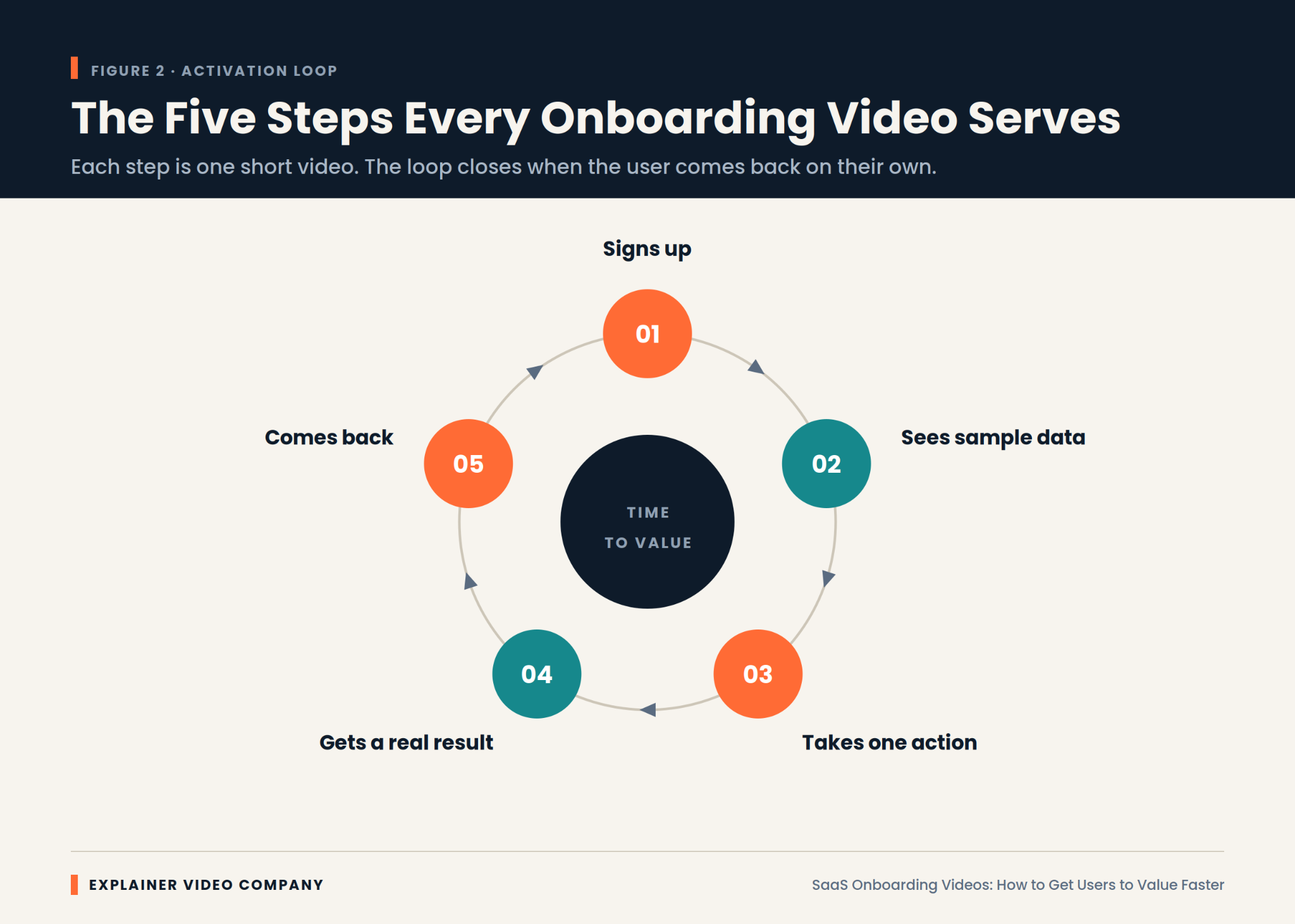
A workable set is four pieces. Getting the first result, which is the critical one. Bringing in real data. The feature separating casual users from committed ones. And something for week two, once initial motivation has faded.
Sequencing is what makes the set work. Each video should end by naming what comes next, so the user always knows there’s another step.
A series also spreads cost sensibly. Four short pieces sharing one visual system cost less than four unrelated ones, and a consistent SaaS animated video style means later additions slot straight in. Our comparison of building video in-house versus outsourcing it covers which model suits a growing library.
Make It Skippable, Searchable, and Repeatable
Give the viewer control, because a trapped user is an annoyed user. This is the difference between a video that helps and one that’s endured.
Four things to build in:
- A visible skip option, always, with no delay before it appears
- Chapters, so someone stuck on step three doesn’t rewatch steps one and two
- Captions, since a large share of people watch with sound off, and some are in an office
- A permanent home in your help center, because users look for it again a week later
Repeatability matters more than teams expect. The first watch happens while someone is overwhelmed and retaining little. The second, while actually attempting the task, is the one that works. A SaaS onboarding video buried in a one-time modal never gets it.
How Do You Know the Video Is Working?
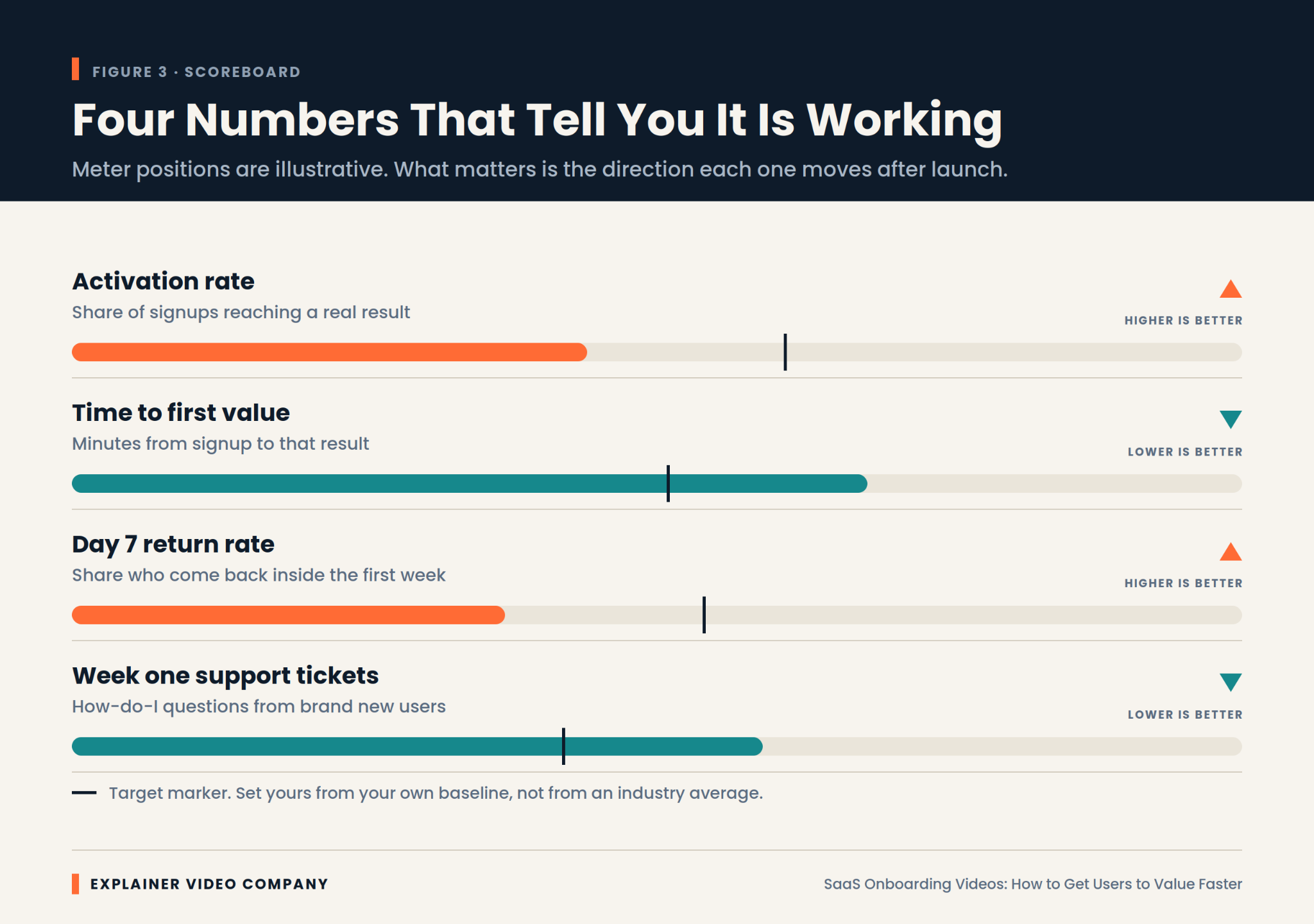
Track activation rate and time to first value, not plays. Those two numbers answer the question directly, and view count doesn’t come close.
Activation rate is the share of new signups who reach your activation moment. If the video is doing its job, that number rises. Time to first value is how long they take to get there, and it should fall.
Two supporting signals help. Day seven return rate tells you whether the first result was meaningful enough to bring them back. Volume of basic how-to support tickets from week-one users tells you what the video failed to cover.
Most SaaS onboarding video best practices are really just instructions to measure the right thing and keep iterating. Our piece on how video affects conversion rates applies the same discipline earlier in the funnel.
Keeping the Library Current Without Reshooting Everything
Plan for interface changes now, because onboarding content decays faster than any other video you own. A marketing film stays usable for years. A walkthrough breaks the moment you move a button.
Three habits keep this manageable. Record in modular chunks rather than one continuous take, so a changed screen means re-recording seconds instead of minutes. Keep narration free of specific labels where you can, since “open your settings” survives a rename that “click Preferences” does not. And review your SaaS onboarding videos quarterly against the live product.
Nothing damages trust faster than a video showing an interface the user cannot find. It signals abandonment more loudly than having no video at all.
Whoever handles your SaaS onboarding video services should be planning for this from the first brief, including source files and a process for partial updates rather than full rebuilds.
Final Words
Everything here reduces to one measurement. How long does it take a new user to get something real out of your product, and does your video make that shorter?
The path is consistent. Find the activation moment. Build one short video per outcome rather than a tour. Place it where people stall rather than at the door. Solve the empty state properly. Keep it skippable and searchable. Then watch activation rate and time to first value, and iterate.
Good SaaS onboarding video production is unglamorous. It rarely wins awards and rarely gets shared, but it quietly decides how many signups become customers. Explainer Video Company builds onboarding sets around activation rather than showreels, and any animated explainer video agency worth hiring will ask about your activation metric before your brand colors.
Frequently Asked Questions
What is a SaaS onboarding video?
It’s a short video shown to new users after signup that helps them reach a first meaningful result in the product. Unlike marketing video, its audience has already bought in, so its job is removing friction rather than persuading. Success is measured by activation, not views.
How do SaaS onboarding videos improve user activation?
By shortening the gap between signing up and getting a real outcome. They replace the blank first screen with a clear path, show what a correct first action looks like, and correct wrong assumptions before the user forms them. Less time spent confused means fewer people abandoning.
How do you create a SaaS onboarding video?
Start by identifying your activation moment, the first action that predicts retention. Build one video that walks a user to exactly that outcome, opening with the finished result. Keep it under ninety seconds, place it where users actually stall, and make it skippable and rewatchable.
How long should a SaaS onboarding video be?
Sixty to ninety seconds works for most. Completion drops sharply past two minutes, and an unfinished video teaches nothing. If your content genuinely needs longer, that’s a signal to split it into a sequence of shorter pieces rather than to extend the runtime.
What are the best SaaS onboarding video examples?
Rather than copying a specific company, look for products whose onboarding you completed without frustration and work out why. The strongest examples share three traits: they open with the outcome, they cover one task rather than the whole interface, and they let you skip or replay at will.
What is the difference between a SaaS explainer video and an onboarding video?
An explainer persuades someone who has not signed up, usually in sixty to ninety seconds of animation on a marketing page. An onboarding video helps someone who already has, usually inside the product. One is measured by signups, the other by activation, and content that works for one rarely works for the other.