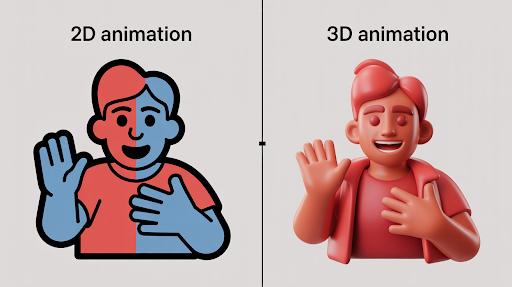
Category: animation

  • 2D vs. 3D Animation: Which Explainer Video Style Is Right for Your Brand?

    2D vs. 3D Animation: Which Explainer Video Style Is Right for Your Brand?

    Three companies enter a production meeting with the same question: should the video be 2D or 3D?

    One sells project-management software. Another manufactures a compact air purifier. The third is preparing patients for a medical procedure.

    The 2D vs. 3D animation choice will not be the same for all three, even if their budgets and video lengths are similar. Each company needs the audience to understand something different.

    That is where the decision should begin.

    Not with which style looks more expensive. Not with what a competitor used last month. Start with the part of the message that is currently difficult to see, explain, or believe.

    Three Briefs, Three Different Visual Problems

    The software company wants prospects to understand how much time is lost switching between disconnected tools.

    The appliance manufacturer needs buyers to see airflow moving through filters hidden inside the product.

    The healthcare organization wants to explain both the patient experience and what happens inside the body.

    These are different communication problems. Treating them as one visual question is how brands end up paying for animation that looks impressive but explains very little.

    An experienced animated explainer video company should be able to identify the visual problem before suggesting an animation style. A production team that recommends 3D after hearing only the budget is skipping the most important part of the discussion.

    The medium should follow the message.

    Brief One: The Software Company Does Not Need a Digital Product Model

    The software team initially asks for 3D because it wants the launch to feel important.

    But the product is not difficult to understand because of its shape. There is no physical object to rotate or open. The confusion sits in the user’s working day.

    A manager checks email for one update, opens a spreadsheet for another, and messages two coworkers for the rest. The product brings that information into one place.

    That story needs people, timing, and recognizable frustration.

    A 2D explainer video company can show the manager moving through the old process, losing time, and then handling the same task more calmly after the software appears. The video can shift between the character, simplified screens, icons, and process graphics without feeling like a technical demonstration.

    This is when to use 2D animation for business. The value lives in a situation people recognize, not in the physical construction of a product.

    What 2D Can Do Without Feeling Childish?

    Some business teams still hear “2D” and picture a playful cartoon.

    That is a design choice, not a limitation of the medium.

    A financial brand can use restrained colors, precise motion graphics, and simple figures. A healthcare video can use soft movement and realistic proportions. An education company may choose warmer character animation because emotional recognition matters more.

    The strength of a 2D explainer video is control.

    The production can move from a customer’s home to an office, then into an abstract workflow within seconds. It can show hesitation, delay, relief, or confusion without hiring actors or arranging several locations.

    It can also simplify information aggressively. A messy workflow may become four clean steps. An invisible risk can be represented through color or movement. Data can appear beside the character instead of interrupting the story with a separate presentation.

    That makes 2D especially effective for services, customer journeys, training, healthcare education, finance, nonprofits, and workplace communication.

    The Weakness of 2D Shows Up When Exact Form Matters

    Now return to the air purifier.

    The marketing team wants buyers to understand why its internal filter arrangement performs differently from cheaper models. A flat diagram could show the parts, but it may not make the airflow or spatial relationship clear.

    This is where 2D begins to work harder than it should.

    The company does not mainly need a customer story. It needs product visualization.

    A 3D explainer video company can remove the outer housing, separate the filters, and move the camera through the unit. Airflow can be represented clearly. The product can rotate while the viewer sees how each part connects.

    This is when to use 3D animation for product marketing. The audience needs to inspect something that ordinary footage cannot reveal.

    The extra production effort has a clear purpose.

    What a Strong 3D Explainer Actually Reveals
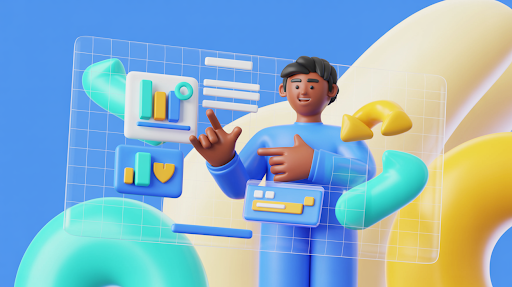
    An example of a 3D-animated explainer video

    A 3D explainer video earns its budget when depth carries information.

    Internal machinery can be exposed without physically cutting the product apart. A medical device can be shown inside the body. An architectural project can be presented before construction. A product still in development can appear finished and working.

    The camera is not limited by the real world. It can move through a pipe, beneath a surface, or around a component that is only a few millimeters wide.

    Materials matter too.

    Metal, glass, fabric, liquid, and plastic can be represented in ways that help buyers understand quality, construction, and use. Good lighting can clarify edges and surfaces. Poor lighting simply makes the object look dramatic.

    That distinction matters.

    A slow product rotation may look premium, but it is not automatically useful visual storytelling. The shot should reveal a feature, show a relationship, or support a buying decision.

    Otherwise, the brand is paying for movement rather than explanation.

    The Cost Difference Is Real, but It Is Not Always Simple

    3D usually requires more production stages.

    A model may need to be built or cleaned from CAD data. Materials are applied. Lights and cameras are placed. Moving parts may need controls. Every finished scene must then be rendered.

    That often means a larger video production budget and a longer animation timeline.

    Still, the assumption that all 2D is cheaper can cause problems.

    A short 3D product spin may be fairly straightforward. A detailed 2D film with frame-by-frame movement, expressive acting, and several original environments may take much longer.

    The real difference between 2D and 3D animation pricing comes from what must be designed, how much movement is involved, and how often assets can be reused.

    Do not compare the styles by label alone. Compare the actual work inside the scenes.

    Brief Three: The Healthcare Video Needs Both

    The third company is preparing patients for a procedure.

    Part of the video needs to show a person arriving, meeting the care team, and understanding what to expect. Another part needs to explain where a device is placed inside the body.

    Neither style can handle the whole message as effectively by itself.

    2D can carry the patient journey. It gives the story emotional distance and avoids making the experience feel graphic. The character can show uncertainty at the beginning and greater confidence after the explanation.

    Then the production can move into 3D for the anatomy and device placement.

    The combination works because each style has a separate job. The transition is not there to make the video feel more varied.

    This is the strongest reason to use a hybrid approach.

    Human context in 2D. Technical detail in 3D.

    Mixed Styles Can Also Waste Money

    A hybrid video is not automatically more effective.

    Some productions switch from 2D to 3D because the team worries one style will become boring. Others add interface animation, typography, characters, product renders, and live footage to make the film appear larger.

    The result can feel disconnected.

    Every change in visual language asks the viewer to adjust. That is worthwhile when the new style explains something the previous one could not.

    It is distracting when the change exists only for visual novelty.

    The best animation style for explainer videos may be one consistent method used carefully. A simple 2D film with a strong script will usually outperform a mixed production with no clear reason for its choices.

    Consistency is not dull when the story is moving.

    Brand Personality Does Not Decide the Medium by Itself
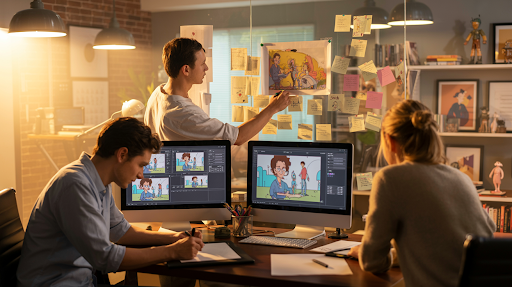
    Animators working on different explainer videos

    A serious company can use 2D.

    A playful brand can use 3D.

    The medium does not create the entire tone. Writing, pacing, color, camera movement, music, sound, and design detail shape how the video feels.

    This is where brand identity should guide the execution rather than dictate the format.

    A medical 2D video might use calm movement, clean anatomy references, and understated narration. A toy company may use exaggerated 3D shapes and energetic camera work. A premium software brand could combine elegant interface animation with restrained character scenes.

    Do not ask whether 2D or 3D matches the brand in general.

    Ask how the selected style should be directed so it feels like the brand.

    Revisions Feel Different in Each Production Pipeline

    A marketing director changes the brand color late in a 2D project. That may be inconvenient, but the team can often update the affected artwork without rebuilding everything.

    A product engineer changes the physical shape of a component during a 3D project. That adjustment may affect the model, materials, rigging, animation, lighting, and final renders.

    The revision risk is different.

    For 2D, settle the character designs, visual system, and storyboard before full animation begins. For 3D, approve the model and key materials before animating detailed scenes.

    Product stability matters especially in 3D.

    A company launching hardware should not begin final animation while engineering changes are still being made every week. The schedule will suffer, and so will the budget.

    Good production planning is not restrictive. It keeps small decisions from becoming expensive ones later.

    What Should a SaaS Company Choose?

    The question of 2D or 3D animation for SaaS videos is usually easier than software teams make it.

    Most SaaS products do not need full 3D.

    Their value sits in a task becoming easier, faster, or more organized. A SaaS explainer video company can show the old frustration through a short character scene, then move into a simplified interface demonstration.

    UI animation and motion graphics often carry the product portion better than realistic 3D.

    There are exceptions.

    Software connected to manufacturing, architecture, digital twins, robotics, virtual environments, or spatial computing may benefit from 3D because the platform interacts with physical space.

    For ordinary business software, though, 3D can become an expensive layer around a problem that is better explained through people and process.

    Show the user first. Show the interface when the story needs it.

    A Quick Decision Test

    Write one sentence describing what viewers must understand after the video.

    If the sentence focuses on a person, service, workflow, emotion, or abstract idea, begin by considering 2D.

    If it focuses on construction, internal movement, physical scale, materials, or spatial relationships, investigate 3D.

    If the sentence contains both a human experience and a technical process, a hybrid may be justified.

    Then test the choice against practical limits.

    How stable is the product design?
    How many stakeholders will review the video?
    Will the assets be reused later?
    Does the deadline allow for rendering?
    Will the content need regular updates?

    These questions are less exciting than browsing animation references. They are also far more useful.

    Final Words

    The 2D vs. 3D animation decision is not a contest between a basic style and a premium one.

    2D is often the better choice for services, characters, ideas, emotions, workflows, and software stories. 3D becomes valuable when the viewer needs to understand physical form, internal construction, movement, scale, or material.

    A mixed approach works when each medium solves a distinct part of the explanation.

    Start with what the audience cannot currently understand. Once that is clear, the right production style usually becomes much easier to defend.

    The best-looking choice is not always the right one.

    The clearest one usually is.

    Frequently Asked Questions

    It depends on the subject. Use 2D for services, people, customer journeys, software, and abstract ideas. Use 3D when the audience needs to inspect a product, mechanism, space, or internal process.
    Usually, but not in every case. Simple 3D product work can cost less than detailed frame-by-frame 2D animation. Complexity, movement, scene count, and revision needs influence the final price.
    Yes. 2D can look restrained, technical, premium, or corporate depending on the art direction. It does not have to resemble children’s entertainment.
    Use both when the story has a human side and a technical side. For example, 2D may show a patient experience while 3D explains anatomy or a medical device.
    Most SaaS explainers work well with 2D scenes, motion graphics, and simplified UI animation. 3D is more useful when the software connects to physical products, spatial systems, or technical simulation.

    Related Articles:
  • How to Choose the Best Explainer Video Company for Your Business

    How to Choose the Best Explainer Video Company for Your Business

    The first studio you like may not be the studio you should hire.

    Its showreel looks sharp. The animation feels expensive. The sales call goes smoothly. Still, none of that proves it is the best explainer video company for your business.

    The real test is less glamorous. Can the team understand your offer without copying the language from your website? Can it spot where your message becomes confusing? Will it challenge a weak brief, or simply animate whatever you send?

    Those questions matter because an explainer video is usually expected to do difficult work. It may need to shorten sales conversations, introduce an unfamiliar product, support a launch, or explain a service people keep misunderstanding.

    Pretty animation helps. Clear thinking helps more.

    Your First Shortlist Will Probably Be Too Broad

    Most searches begin the same way. You open several websites, watch a few reels, save the companies with the strongest-looking work, and request prices.

    The problem is that showreels are built to impress quickly. They combine the best five seconds from many projects. You see polished transitions, expressive characters, and smooth product shots. You do not see whether the full videos made sense.

    Before contacting anyone, reduce the field by defining the actual job.

    Is the video for a homepage, paid campaign, investor presentation, sales meeting, or onboarding flow? Does the audience already understand the problem? Is the product physical, technical, abstract, or software-based?

    This is the practical starting point for how to choose an explainer video company. You are not looking for the studio with the broadest talent. You are looking for one whose strengths match the communication problem in front of you.

    Pay Attention to the Questions Asked on the First Call

    The first conversation reveals a great deal.

    A weak production team may begin by asking how long the video should be, which animation style you like, and when you need it. Those details matter, but they should not lead the discussion.

    A stronger team asks different questions.

    Where do prospects get confused? What do they usually ask before buying? Which audience matters most? What happens after someone watches? Has the company tried to explain the same idea before?

    These questions show whether the studio thinks like an explainer video production company or simply an animation vendor.

    The distinction matters. An animation vendor waits for instructions. A production partner helps shape the message before the expensive work begins.

    Listen closely during that first call. The quality of the questions often predicts the quality of the script.

    Watch Complete Videos, Including the Boring Ones

    Do not stop at the homepage reel.

    Ask to see full projects, preferably ones with a similar audience, length, or level of difficulty. A complete video production portfolio tells you whether the studio can hold attention after the first ten seconds.

    Watch with the sound off once. Do the visuals still carry meaning? Then listen without looking at the screen. Does the script sound natural, or does it feel like website copy read by a professional voice actor?

    An experienced animated explainer video company should be able to show more than technical skill. Look for control. The opening should establish a problem quickly. The middle should not become a feature dump. The ending should lead toward one sensible next step.

    Also notice whether every project looks suspiciously similar. Repeated character designs, identical camera moves, and the same scene structure may suggest a template-based process.

    Templates are not automatically bad. They are simply a poor fit when you are paying for a video expected to represent the brand for several years.

    Industry Experience Helps, but It Can Be Overrated

    Exact industry experience feels reassuring.

    A medical company naturally wants a team that understands scientific review. A financial business may prefer a studio familiar with compliance. An industrial manufacturer may need animators who can read technical drawings.

    That experience can shorten the learning process. It should not become the only requirement.

    A studio may never have worked in your exact field but still understand how to explain technical systems, handle cautious buyers, or manage several rounds of specialist approval.

    Look for similar communication challenges rather than matching logos.

    Has the team turned complicated material into plain language? Has it worked with products that did not yet exist? Can it show a process that is difficult to film? Does it know how to ask for expert review without allowing the script to become unreadable?

    Relevant thinking is more useful than superficial familiarity.

    Ask to See How the Script Is Developed

    A beautiful video can survive average illustration. It rarely survives a poor script.

    Ask who writes the script, what information that person receives, and how many people review it before storyboarding begins.

    Good scriptwriting and storyboarding should not start with the studio copying paragraphs from your website. The writer needs access to the audience problem, sales objections, product details, and the outcome the business wants.

    The storyboard then tests whether the words and pictures are sharing the explanation properly.

    A weak storyboard merely illustrates each sentence. If the voice says “teams lose time,” the screen shows a clock. If the voice says “communication improves,” speech bubbles appear.

    A better storyboard adds information. It shows where the delay happens, who is affected, and what changes after the solution is introduced.

    This stage is where the company proves it understands the idea, not just the chosen animation style.

    The Process Should Feel Clear Before You Sign

    Many studios describe the same broad stages: discovery, script, storyboard, design, animation, and delivery.

    The useful details sit underneath those labels.

    Who leads the project? When do you approve the visual direction? Will you see an animatic before full animation? How is feedback gathered? What happens when two stakeholders disagree?

    A dependable creative process gives you clear moments to make decisions.

    It should also protect the production team from endless changes. Once a scene is fully illustrated and animated, replacing the central idea is no longer a small edit.

    The company should explain this without sounding defensive. Clear boundaries are not a warning sign. Vague boundaries are.

    Decide Whether You Need Custom 2D or Just a Clean Message

    An example of 2D animated explainer video

    2D animation works for far more than cartoon-style storytelling.

    It can explain services, show workplace situations, simplify healthcare topics, introduce a financial process, or visualize something that would be expensive to film.

    A 2D explainer video company is a good fit when the message depends on people, emotions, customer journeys, or abstract ideas.

    Ask how much of the work will be original.

    Will the characters and environments be designed for your brand? Are prebuilt assets being adapted? Can the same design system support future videos?

    There is a place for both template-led work and custom animation. The choice should reflect how important and long-lasting the asset will be.

    A short internal training clip may not require an original visual world. A homepage video being used across sales, advertising, and social media probably deserves more care.

    Compare Proposals Line by Line, Not Price by Price

    Two companies may quote $6,000 and $9,000 for what appears to be the same job.

    Often, the scope explains the gap.

    The higher proposal may include scriptwriting, professional voice talent, captions, licensed music, several delivery formats, and an extra review stage. The lower price may cover animation only.

    This is how to compare explainer video production companies fairly. Send each studio the same brief, then compare what is actually included.

    Check the number of concepts, revision stages, final formats, usage rights, voiceover terms, source files, and expected timeline.

    Ask about possible extras too. A vertical version, foreign-language edit, rush request, or revised software screen may carry a separate fee.

    The cheapest proposal can become expensive when basic deliverables were never part of the original number.

    Use 3D Because It Explains Something

    3D looks impressive, which is exactly why companies sometimes choose it for the wrong reason.

    A 3D explainer video company makes sense when the audience needs to understand form, internal construction, physical movement, scale, materials, or a product that has not yet been manufactured.

    Look carefully at technical accuracy in the portfolio. Attractive lighting is not enough. Parts should move correctly. Materials should behave believably. Camera movement should reveal information rather than circle the object for effect.

    Ask what reference material is needed. The studio may request CAD files, engineering drawings, product photography, or access to a technical specialist.

    3D usually carries a larger budget and longer video production timeline. It should earn that extra investment by showing something 2D, live action, or ordinary photography cannot.

    Review the Revision Rules Before the Project Begins

    A sentence such as “two rounds of revisions included” sounds clear until feedback starts.

    Two rounds across the entire project? Two rounds at each stage? Does one email count as a round, even when it contains notes from only one department?

    Read the revision policy before signing.

    A fair agreement gives you meaningful opportunities to review the script, storyboard, design, and animation. It should also explain when a request becomes a scope change.

    Changing one color is not the same as replacing the visual concept. Correcting a production error is not the same as rewriting an approved script after leadership sees it for the first time.

    Bring the real decision-makers in early. Late internal feedback is one of the fastest ways to damage a schedule and increase the budget.

    Software Companies Need a Very Specific Kind of Partner

    Different types of SaaS explainer video content

    Choosing an explainer video company for SaaS requires more than finding someone who can animate a screen.

    Software videos often fail because they show too much. The cursor moves from feature to feature while the voiceover tries to explain the entire product.

    A capable SaaS explainer video company starts with the user’s frustration and the outcome the platform creates. The interface appears when it helps tell that story.

    Review how the studio handles UI. Is the screen readable on mobile? Does the viewer know where to look? Are real product screens simplified carefully, or changed so heavily that they become inaccurate?

    The company should also understand the difference between a homepage explainer, feature demo, onboarding tutorial, and paid advertisement.

    They may share visual assets. They do not share the same purpose.

    Talk to Past Clients About the Difficult Parts

    Testimonials usually describe a successful ending. Ask about the middle.

    Look for independent client reviews, then speak to one or two recent clients when the project carries a significant budget.

    Ask whether the original estimate remained accurate. Did the producer communicate delays early? Was feedback handled well? Did the final delivery include everything promised?

    Creative production always contains a few uncomfortable moments. A script may need another draft. An animation test may not work. A deadline may be threatened by late feedback.

    The important question is how the company behaves when the project becomes less convenient.

    That is often what to look for in an explainer video agency. Reliability is easier to judge through problems than through a polished sales presentation.

    The Final Decision Is Usually About Fit

    After the portfolio reviews, proposals, and calls, you may still have two good options.

    At that point, stop looking for a perfect scorecard.

    Choose the team whose strengths fit the project. Consider how much guidance your company needs, how many people will approve the work, and how much risk sits behind the launch.

    Your final questions to ask an explainer video company should be direct:

    Who owns each stage?
    What could change the price?
    What do you need from us each week?
    Where do projects like this usually go wrong?
    Who owns the final assets?
    Can this visual system support future content?

    A strong production partner will answer without hiding the difficult parts.

    Final Words

    The best explainer video company for your business is not necessarily the cheapest, largest, or most decorated studio.

    It is the team that understands the communication problem, asks useful questions, writes clearly, manages feedback well, and chooses a production style for a reason.

    Watch full videos rather than reels. Compare identical scopes. Read the revision terms. Check rights, formats, and deadlines before signing.

    Most importantly, notice whether the company improves your thinking during the first conversations. A good production partner should make the message clearer before a single frame is animated.

    Frequently Asked Questions

    Three to five qualified companies are usually enough. Send each one the same brief so you can compare the process, deliverables, pricing, and timeline fairly.
    Choose a specialist when you already have a focused brief and need deep production expertise. A full-service agency may suit a broader campaign requiring research, messaging, distribution, and several connected assets.
    The proposal should explain the runtime, style, script, storyboard, voiceover, music, revision stages, schedule, delivery formats, ownership, usage rights, and any likely additional charges.
    It helps in technical or regulated fields, but exact industry experience is not always essential. Experience solving a similar communication problem can be just as valuable.
    Watch for vague pricing, generic portfolio work, weak questions, unclear ownership, unrealistic deadlines, limited review stages, and reluctance to explain how feedback or scope changes are handled.

    Related Articles:

  • How Much Does an Explainer Video Cost in 2026? A Complete Pricing Guide

    How Much Does an Explainer Video Cost in 2026? A Complete Pricing Guide

    The email usually sounds simple:

    “Can you send us a price for a one-minute explainer?”

    Then the quotes arrive, and nothing feels simple anymore. One studio asks for $2,000. Another proposes $8,500. A premium team sends a figure above $25,000. All three appear to be quoting the same sixty seconds.

    They are not.

    The cost of an explainer video in 2026 is determined by what occurs prior to, during, and following the animation. A rudimentary AI-assisted video might cost less than $2,500. Custom studio projects typically cost between $3,000 and $15,000, although complex 3D work and luxury advertising can exceed $20,000 or even $50,000. Because production processes vary so dramatically, recent industry pricing guidelines reveal comparable large variances. 

    The running time gives you one clue. It does not explain the quote.

    Start by Asking What the Video Has to Carry

    Picture two companies requesting a 60-second video.

    The first has an approved script, finished brand assets, and a straightforward message. It needs simple icons, text animation, a stock music track, and one voice. The video will appear at an internal meeting.

    The second company is preparing a product launch. Nobody agrees on the message yet. The product is difficult to explain. The video needs custom characters, interface scenes, an original visual style, social cutdowns, and approval from six department heads.

    Same runtime. Completely different job.

    This is why explainer video pricing should never be compared through duration alone. A useful quote shows how much thinking, design, coordination, and finishing work sits behind the final file.

    When a quote looks unusually low, check what has been removed. When it looks unusually high, ask what extra expertise or production depth has been added.

    What a Low-Cost Video Actually Buys

    There is nothing automatically wrong with a $1,000 explainer.

    For an internal presentation, early product test, or temporary campaign, a template may be enough. The provider can use existing scenes, standard transitions, stock icons, and an AI or entry-level voice.

    The limits usually appear when the company wants something more specific.

    The character may not match the audience. The illustrations may feel familiar because other businesses use the same asset library. There may be little help with the script. Changes beyond one revision could cost extra.

    Current 2026 guides place AI-assisted and template production anywhere from a few hundred dollars to roughly $2,500, although some agencies sell more developed AI-supported packages at higher prices.

    That tier works when the risk is low.

    It becomes harder to justify when the video will sit on the homepage, support paid advertising, introduce the company to investors, or explain a product that customers already find confusing.

    Where the Midrange Budget Goes

    Now consider a custom project priced at $6,000 or $8,000.

    An animated explainer video company may begin with interviews rather than animation. The producer wants to know where prospects lose interest, which benefit matters most, and what viewers should do after watching.

    A writer develops the message. A storyboard artist maps the scenes. Designers create a visual direction that belongs to the brand. Voice talent records the script. Animators build the movement, and a sound designer finishes the piece.

    This is where the animated explainer video price starts to make more sense. You are paying for a connected process rather than a collection of moving assets.

    Mid-market studios commonly quote roughly $3,000 to $15,000 for custom 60-to-90-second work, with many SaaS and B2B projects landing between $4,000 and $10,000.

    The team is not only producing the video.

    It is helping decide what the video should say.

    Sixty Seconds Is Not a Unit of Difficulty

    “How much does a 60 second explainer video cost?” is a reasonable question. It just needs more context.

    One minute of icons sliding between scenes may be fairly quick to produce. One minute featuring custom characters, five locations, detailed acting, and several camera angles takes much longer.

    The same issue appears in 3D. A clean product rotation and a realistic liquid simulation may both last ten seconds, yet the simulation requires far more setup, testing, rendering, and correction.

    Video length affects the budget, but scene count and visual complexity often matter more.

    A tighter script can even require more strategic work. Turning a complicated offer into 130 clear words is not always easier than writing a longer explanation. The team must decide what to leave out without damaging the message.

    That decision is part of the production.

    The Script Is Not a Minor Line Item

    Businesses sometimes provide a rough paragraph and assume the studio will “clean it up.”

    That can work, but writing for video is not the same as editing website copy.

    A spoken script needs a natural pace. It must leave time for the viewer to understand the visuals. Each sentence should give the screen something useful to show.

    Good scriptwriting and storyboarding also expose problems before they become expensive.

    Suppose the storyboard reveals that the product does not appear until the forty-second mark. That can be fixed in an afternoon. Discovering the same issue after the scenes are fully animated may mean rebuilding half the video.

    Planning is not administrative overhead.

    It protects the video production budget.

    What Custom 2D Work Costs

    2D animation covers an enormous range.

    At one end, the video may use text, icons, basic shapes, and simple transitions. At the other, it may include designed characters, several environments, expressive movement, perspective changes, and frame-by-frame details.

    A 2D explainer video company may quote somewhere between $3,000 and $15,000 for a custom project, depending on the level of illustration and animation involved. Agency pricing can go higher when the scope includes broader campaign strategy or unusually detailed character work.

    The 2D animation cost rises when each scene needs to be drawn from scratch.

    Movement matters too. A character who stands beside a chart requires less work than one who walks, turns, speaks, picks up an object, and reacts to another character.

    This is why the cost of a custom animated explainer video cannot be estimated from a style label alone. “2D animation” tells the studio what general medium you prefer. It does not explain how much needs to happen.

    Professional Audio Changes the Result More Than Buyers Expect

    Audio engineers working on the sound of an explainer video

    A rough voice can make strong animation feel unfinished.

    A professional voiceover gives the production a consistent pace and tone, but the fee varies. The language, talent experience, intended audience, usage period, and geographic reach can all affect the rate.

    A national advertising campaign carries different licensing expectations from an internal training video.

    Then there is sound design.

    Small sounds make movement feel physical. A button click confirms an action. A soft mechanical sound gives weight to a product assembly. Music controls pace, but the license needs to cover the places where the video will appear.

    Ask what the quote includes.

    “Audio included” could mean a stock track and synthetic narration. It could also mean casting, recording direction, licensed music, sound effects, mixing, and final mastering.

    Those are not the same package.

    Why 3D Can Raise the Quote Quickly

    A 3D object must exist before it can be animated.

    The team may need to construct or clean the model, generate textures, define materials, configure controllers, apply lighting, arrange cameras, and render the final scenes. Products having reflecting surfaces, flexible components, liquids, smoke, or complicated mechanics need further testing.

    A 3D explainer video company may charge between $15,000 and $50,000 or more for thorough agency work. Simpler freelancing jobs are less expensive, but cinematic medical, industrial, and product videos may cost more.

    The 3D animation cost becomes worthwhile when depth explains something important.

    Perhaps buyers need to see how an internal component moves. Maybe the product has not been manufactured yet. A medical device might need to be shown inside the body, or an industrial process may be unsafe to film.

    The 2D vs 3D explainer video cost comparison should start there.

    If the message depends on human situations, software workflows, or abstract ideas, 2D may communicate it more clearly. If shape and internal movement matter, 3D can justify the extra investment.

    SaaS Videos Have Their Own Production Problems

    Software looks easy to capture because it already exists on a screen.

    Raw screen recordings often prove otherwise.

    Small buttons become unreadable on mobile. Real accounts contain private data. The interface may change while the video is in production. A cursor moving through every menu can quickly become tiring.

    A SaaS explainer video company may redraw or simplify the interface so the viewer knows where to look. It may combine UI animation with characters, diagrams, and motion graphics rather than showing the dashboard from beginning to end.

    Custom SaaS explainers are typically priced in the center of the professional market, ranging between $4,000 and $10,000 for a concentrated 60- to 90-second production. Premium launches and bigger delivery bundles may cost extra.

    The cost increases when the company requests several connected pieces: a homepage explainer, feature demonstrations, onboarding clips, paid ads, and vertical social edits.

    Reusing the design system helps. Each new video still requires its own script, timing, and review.

    Revisions Are Where Budgets Wander

    A quote that includes “two revision rounds” needs a closer look.

    Does that mean two script reviews? Two reviews at every stage? Two opportunities to request any change at all?

    The timing of the feedback matters more than the number.

    Changing a sentence before recording may take minutes. Changing it after animation could affect the voiceover, scene length, captions, music, and final edit.

    The same applies to design. Adjusting a shirt color is small. Replacing the character after six scenes have been animated is not.

    Clear revision rounds keep the project moving. They also require the client to gather feedback before sending it.

    The most expensive workflow is scattered approval. Marketing approves the script, product rewrites it later, and leadership changes the central idea after animation has started.

    That is not a revision. It is a restart.

    Before Accepting a Quote, Read the Missing Parts

    A client reading the terms and conditions of an explainer video production company

    Some charges never appear until the project is nearly finished.

    Common examples include additional aspect ratios, source files, rush delivery, premium music, voiceover pickups, foreign-language versions, captions, and extra revisions.

    Ask whether the final package includes:

    A horizontal master
    Vertical and square versions
    Caption files
    A clean version without text
    Commercial usage rights
    Editable source files
    Music licensing
    Social cutdowns
    Translation support

    The list does not need to be long if you do not need those items.

    It does need to be clear.

    A $5,000 quote that includes the full delivery package may be better value than a $4,000 quote that charges separately for every useful version.

    How to Budget Without Guessing

    The best answer to how to budget for an explainer video begins with the role of the finished asset.

    Will it support sales for three years? Is it being shown during a product launch? Will paid traffic be sent to it? Does the sales team plan to use it in every presentation?

    A high-value asset deserves stronger writing, original design, and enough review time to get the message right.

    A temporary internal clip does not need the same treatment.

    Next, decide what the production must include. Write down the style, approximate length, number of formats, deadline, languages, review team, and where the video will run.

    Then compare scopes, not totals.

    These are the things that influence explainer video price in a way that customers can control. A clear brief will not reduce the cost of professional manufacturing, but it will make the estimates much more understandable.

    Final Words

    The average explainer video cost in 2026 ranges from a few hundred dollars for basic AI-supported material to more than $50,000 for premium bespoke 3D and enterprise production. 

    A reasonable working budget for a professionally created 60-to-90-second unique explanation ranges from $3,000 to $15,000. Detailed 3D, larger campaign work, complex characters, and challenging technical themes can raise the price significantly. 

    Do not judge a quote by the final runtime.

    Examine the screenplay, images’ originality, scene count, animation detail, audio, approval procedure, usage rights, and included formats. These factors explain why two one-minute recordings might command vastly different rates. 

    The right budget is the amount needed to solve the communication problem without paying for production work the audience will never need.

    Frequently Asked Questions

    A professional one-minute bespoke explainer typically costs $3,000 to $15,000. Basic templates and AI-supported choices are less expensive; however, premium 3D and agency campaigns can cost more than $20,000. 
    They may be offering different levels of strategy, writing, original design, animation detail, voice talent, revisions, sound, and project management. Compare the included work before comparing the totals.
    Usually, though not always. Complex frame-by-frame 2D character animations may be costly. Detailed 3D is often more expensive since it includes modeling, materials, lighting, rigging, animation, and rendering. 
    A concentrated bespoke 2D project typically takes three to six weeks. Detailed 3D, technical evaluations, various languages, or a big group of decision-makers can all cause the timetable to be extended.
    Please include the purpose, audience, expected runtime, desired style, examples, planned platforms, deadline, number of reviewers, and needed formats. Mention any current scripts, brand files, product models, or interface designs. 

    Related Articles:
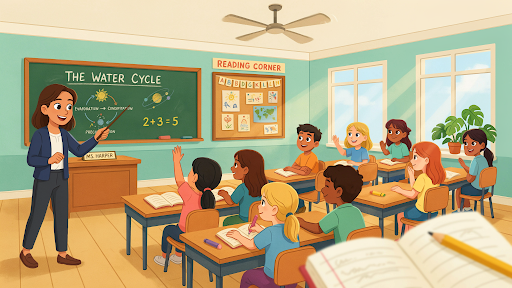
  • How to Create 3D Animation and Professional Cartoon Characters

    How to Create 3D Animation and Professional Cartoon Characters

    Most people asking how to create 3D animation picture an artist moving a finished character around a screen. That part does happen, but much later.

    Before the character can blink, speak, or pick up a cup, someone has to decide what they look like, how they behave, what kind of world they belong in, and whether the audience should trust them, laugh at them, or feel sorry for them.

    Then comes the technical work.

    That work is rarely neat. A face that looked good in a sketch may feel strange in 3D. A jacket may bend badly at the shoulder. A character may walk correctly and still feel lifeless. Small problems show up all through production, and fixing them is part of the job.

    The Character Starts With a Question

    Before drawing anything, ask what the character is there to do.

    A mascot built for a children’s learning app needs to feel approachable within seconds. A cartoon engineer in an industrial video needs to look competent without becoming stiff. A comic office worker may need slightly exaggerated features so the frustration reads clearly.

    This is where art direction begins.

    The design team usually explores body shape, face, clothing, color, age, posture, and silhouette. Sometimes a rough black shape tells you more than a detailed face. A character with a large head and narrow shoulders may feel young or playful. A broad stance and square shape can suggest strength. Rounded shapes generally feel softer. Sharp ones can feel energetic or severe.

    Professional 3D cartoon characters are designed around these signals.

    A character is not memorable because it has more detail. It is memorable because the right details were chosen.

    Planning Is Where Problems Are Cheapest

    Production teams sometimes rush planning because sketches and rough frames do not feel like the final product.

    That is a mistake.

    During pre-production, the team works through the script, character brief, visual references, environment, major actions, voice, and pacing. This is where ideas can still be changed without wasting days of technical work.

    A rough storyboard may look simple, but it answers important questions. Where is the camera? What is the character doing? When does the product appear? Does the scene need a close-up? Is the action clear without dialogue?

    An animatic takes those panels and places them on a timeline with temporary sound. Suddenly, timing problems become obvious. A scene that sounded quick in the script may drag for six seconds. A joke may need a pause. A product reveal may happen before the viewer understands the problem.

    A good explainer video company usually pushes for these decisions early. It is much easier to move a storyboard panel than to rebuild a finished scene.

    Turning a Drawing Into a 3D Model

    Once the character design is approved, the modeler starts building it in digital space.

    This is 3D modeling.

    The artist creates the head, torso, arms, legs, hands, clothes, hair, shoes, and accessories. Sometimes the character begins as a basic digital shape and is sculpted gradually. In other workflows, the model is built with cleaner geometry from the start.

    The character has to look right from more than one angle. A nose that works in a front sketch may look too long from the side. A hairstyle may block facial expressions. Oversized sleeves may look charming until the arms need to bend.

    This is why learning how to create professional 3D cartoon characters is not just about copying a concept drawing. The artist has to interpret that drawing in three dimensions.

    The model also needs to be animation-friendly.

    Areas around the mouth, eyes, shoulders, elbows, knees, and hips need enough clean geometry to bend without breaking. A character can look perfect in a still render and fall apart the moment it smiles.

    That is not unusual. It is exactly why the model must be tested before production moves on.

    Surface Detail Comes After Shape

    Fresh 3D models often appear grey. The shape is there, but the character has no final surface yet.

    That comes through texturing and material work.

    Skin gets its color. Fabric starts to feel like fabric. Shoes may look rubbery, polished, worn, or soft. Hair can be smooth and stylized or built with more complex strands. Even a cartoon eyebrow needs the right material so it does not look pasted on.

    More detail is not always better.

    A playful mascot may work best with simple color blocks and soft surfaces. A cinematic character may need subtle skin variation, fabric weave, and richer hair. Putting realistic pores on a heavily stylized face can create an uncomfortable result.

    Artists also test how materials react to light. A dark jacket may lose all detail in shadow. Skin may look waxy. Glasses may create distracting reflections.

    The material has to work in the scene, not just in a close-up preview.

    The Skeleton Nobody Sees

    The character rigging process in animation

    At this stage, the character still cannot perform.

    It needs a hidden control system, often called a rig.

    Character rigging places bones, joints, facial controls, and deformation tools inside the model. Animators use these controls to pose the character without pushing individual points around by hand.

    A simple rig may control the spine, arms, legs, head, and hands. A more detailed one can include fingers, clothing controls, flexible props, eye focus, breathing, and facial expressions.

    The face is usually the harder part.

    A smile involves more than lifting the corners of the mouth. The cheeks move. The eyes narrow slightly. The eyebrows may react. The jaw and lips need to support the sound if the character is speaking.

    That is how character rigging works in 3D animation: the technical setup gives the animator enough control to create believable behavior.

    A 3D explainer video company may build a very detailed rig for a lead character who speaks in close-up, while keeping background characters simpler. There is no reason to build controls the camera will never see.

    Animation Begins With Observation

    Once the rig is approved, animation can finally begin.

    This is where the character starts making choices.

    A beginner may focus on moving the hand from one place to another. An experienced animator thinks about what happens before and after that movement.

    Imagine a character reaching for a phone.

    They may look at it first. Their shoulders shift. One hand leaves the table. The fingers prepare before touching it. The body reacts to the weight. If they are annoyed, the movement will be sharper. If they are unsure, there may be a pause.

    That is 3D character animation. It is digital acting.

    Anyone learning how to animate a 3D cartoon character should watch real people closely. Notice how someone leans back before standing. Watch how the head turns slightly before the body follows. Look at what the hands do when a person is trying to explain something they do not fully understand.

    Cartoon animation can exaggerate these actions, but it should not ignore them.

    A Talking Character Needs a Whole Performance

    Lip-sync is not only about matching mouth shapes to recorded words.

    A believable speaking character uses the whole body.

    The eyes shift. The head reacts. The hands support certain words. The shoulders rise during uncertainty. A character may hesitate before answering or look away when embarrassed.

    Voice recording is usually completed before detailed animation so the animator can work with the actor’s timing. A short laugh, breath, or pause may become an important part of the performance.

    Mouth movement should not be overworked. If every sound creates a huge shape, the face becomes distracting. The important sounds need to read, but the performance should still feel natural.

    The viewer should watch the character, not the rig.

    Lighting Changes More Than Brightness

    Lighting and rendering process in character animation

    Once scenes are animated, the team starts refining lighting and rendering.

    Lighting decides whether the world feels cheerful, dramatic, safe, cold, playful, or tense. A bright commercial scene may use soft, broad light. A cinematic sequence may use deeper shadows. A children’s video usually needs faces and actions to remain clear.

    Light also guides attention.

    If the character is speaking, the face should not disappear into shadow. If a product matters, highlights can help show its shape. Background objects should support the scene without becoming more noticeable than the subject.

    Rendering turns the 3D scene into final images. The software calculates materials, shadows, reflections, depth, movement, and other visual information.

    This can take time.

    Detailed hair, transparent objects, large sets, crowds, realistic shadows, and reflective materials all increase the workload. That is one reason the cost of professional 3D animation changes so much from project to project.

    A single cartoon character in a clean room is not the same job as five characters running through a busy city.

    The Render Is Not Always the Final Image

    After rendering, scenes often move into compositing.

    Here, artists combine image layers and adjust the finished look. They may refine color, shadow, atmosphere, glow, background depth, or small effects. If a scene feels too flat, compositing may help create separation. If one area is too bright, it can sometimes be corrected without rendering the entire scene again.

    This stage is useful, but it is not magic.

    Compositing cannot turn weak acting into good acting. It cannot repair a poorly built model or make a confusing camera angle easy to read.

    It should finish the image, not hide earlier mistakes.

    Sound Gives Weight to the World

    Animation without proper sound often feels lighter than it should.

    A foot touches the floor, but there is no sound. A box closes silently. Clothing never moves. The room has no atmosphere. Even viewers who cannot explain the problem may feel that something is missing.

    Sound effects give actions weight.

    Music controls mood and pace. Voice carries personality. Room tone helps scenes feel connected rather than empty. Tiny sounds, such as a chair movement or a hand touching a desk, can make a character feel more present.

    The final edit balances all of this. Dialogue should remain clear. Music should not overpower the scene. Effects should support the action without making every movement sound exaggerated.

    Sometimes 2D Is the Smarter Choice

    Not every project needs a full 3D pipeline.

    A simple educational video, icon-led explanation, or character story may work perfectly well in 2D. It can be quicker to produce and easier to revise, especially if the message does not depend on depth, realistic products, or complex camera movement.

    A 2D explainer video company may be a better fit for a friendly service story, a classroom animation, or a clean business explainer.

    The style should follow the message.

    Software videos often use a mix. The opening may include a 3D visual, while the main explanation relies on interface animation and motion graphics. A SaaS explainer video company can combine those methods rather than forcing the whole project into one style.

    Using 3D only because it sounds more impressive usually creates extra work without improving the communication.

    The Real Production Order

    The 3D animation production process step by step is not complicated to list, though each stage has its own challenges.

    The work normally starts with the concept, script, character brief, and art direction. Next come the storyboard and animatic. After approval, the team moves through modeling, texturing, rigging, voice recording, animation, lighting, rendering, compositing, sound, and final editing.

    Some stages overlap. A lighting artist may test a character while texturing continues. A rig may be adjusted after the animator finds a limitation. A camera angle may need to change because a facial expression is not reading clearly.

    That is normal.

    What matters is that major decisions are approved before the most expensive work begins. A late script change can affect voice recording, animation, rendering, sound, and editing at once.

    Careful planning feels slower at the start. It usually makes the rest of production much easier.

    Final Words

    Understanding how to create 3D animation means looking beyond the final movement on screen. The work starts with character thinking, not software. It then moves through planning, modeling, texturing, rigging, performance, lighting, rendering, compositing, and sound. 

    Professional 3D cartoon figures feel alive since each stage reflects the same characteristics. Technical excellence is important, but spectators seldom recall the rig or render settings. They recall if the character made them laugh, believe the message, or care about what happened next.

    Frequently Asked Questions

    A 3D animation often starts with an idea, storyline, visual direction, storyboard, and animatic. The process then progresses to modeling, texturing, rigging, animation, lighting, rendering, compositing, sound, and editing.
    The timeframe is determined by the character’s appearance, dress, hair, facial features, and intended screen use. A basic supporting character may be developed considerably faster than a main character designed for intimate communication and emotional expression. 
    Rigging provides animators with useful controls for the body and face. Without a good rig, the figure may bend incorrectly, move stiffly, or take substantially longer to animate. 
    Yes. A well-made model and rig may be used for new scenarios, ads, training videos, website content, social campaigns, and still rendering. New animation, lighting, rendering, and editing will still be needed.
    It is frequently due to the fact that 3D animations require modeling, texturing, rigging, lighting, and rendering before they can be completed. The ultimate cost is determined on visual detail, time, number of characters, surroundings, and revision requirements. 

    Related Articles:

  • How Entertainment Video Production Captivates Modern Audiences

    How Entertainment Video Production Captivates Modern Audiences

    Entertainment video production is not about making people admire the camera work. It is about making them stay.

    That is harder than it sounds.

    Most viewers are not sitting there hoping to be amazed. They are half-watching, scrolling, muting, skipping, checking comments, or determining if the video is worth another two seconds. Even a slick video might be lost in the shuffle if it appears boring, formulaic, or too much like a business attempting to sound significant.

    The videos that hold attention usually do something simple early. They make the viewer curious. They create a feeling. They show a person, problem, world, or moment that does not feel dead on arrival.

    That is the real game.

    Start Where the Viewer Is Already Restless

    A lot of entertainment videos open like they have all the time in the world.

    Logo. Music swell. Pretty shot. Another pretty shot. Then maybe, after ten seconds, something begins.

    Online, ten seconds can be a lifetime.

    If the viewer is on a phone, the video needs a pulse almost immediately. That does not mean every opening has to be loud. A quiet opening can work if it has tension. A strange image can work. A funny line can work. A character caught in the middle of a bad decision can work.

    What does not work is asking the viewer to wait before the video gives them anything.

    This is where how entertainment video production captivates audiences becomes less about theory and more about editing choices. The first shot should carry weight. The first line should not feel wasted. The first few seconds should tell the viewer, “There is something here.”

    A Story Does Not Have to Be Big

    People sometimes hear “story” and think it means drama, plot twists, and cinematic emotion.

    Not always.

    A story can be tiny.

    Someone tries to do something and gets stuck. A creator prepares for a performance. A product changes one annoying part of someone’s day. A character makes a mistake and has to fix it. A viewer sees a before-and-after moment that feels familiar.

    That is video storytelling in a practical sense.

    This is also why storytelling matters in video production. Without a story shape, a video can turn into a set of nice shots with no reason to keep watching. Story gives the edit a spine. It gives the viewer something to follow.

    An explainer video company can help when a brand knows the message but does not yet have a watchable structure. Many businesses can explain what they do. Fewer can turn that into a sequence people actually want to finish.

    The story does not need to be dramatic. It needs movement.

    Feeling Beats Information

    Viewers forget details fast.

    They remember how a video made them feel.

    A laugh. A small shock. A satisfying reveal. A moment that feels familiar. A bit of tension. A sense of warmth. Even a simple “I know that problem” reaction can be enough.

    That emotional connection is what separates watchable content from moving information.

    A brand can list features all day. A creator can explain the idea perfectly. A studio can make the visuals sharp. But if the viewer feels nothing, the video usually fades.

    The mistake is forcing the feeling. Heavy music does not automatically create emotion. Slow motion does not make something meaningful. A dramatic voiceover can actually make a simple idea feel fake.

    The emotion should come from the situation.

    Show the parent finally getting a quiet moment. Show the gamer discovering a strange world. Show the founder realizing the old process is breaking. Show the audience a small truth they already know but have not seen framed that way.

    That is enough.

    Style Should Carry the Idea, Not Fight It

    Visuals matter. Of course they do.

    But style chosen for its own sake can damage the video.

    A fast comedy piece should not feel like a slow luxury film. A brand documentary should not cut like a gaming trailer. A children’s video should not move like a corporate presentation. Viewers may not explain the problem that way, but they feel when the style is wrong.

    That is where visual storytelling matters.

    Color, pacing, sound, movement, lighting, framing, animation, and transitions all tell the viewer what kind of world they are entering. These choices should make the idea easier to feel.

    A 3D explainer video company can be useful when the project needs depth, product detail, or a stronger sense of world-building. Entertainment tech, gaming promos, virtual events, product reveals, and immersive campaign videos can benefit from 3D when the space itself matters.

    But not every idea needs 3D. Some stories need the warmth of 2D. Some need live action because a real face builds trust. Some only need tight motion graphics and a strong edit.

    The best style is not the biggest style. It is the one that makes the idea land.

    Platform Behavior Changes the Cut

    Different platforms for entertainment video production

    A video does not exist in one perfect viewing room.

    It lives on TikTok, YouTube, Instagram, websites, landing pages, streaming platforms, event screens, and paid ads. Each place changes how the viewer behaves.

    That is why entertainment video production for modern audiences has to think about platform use before production starts.

    For social media videos, clarity has to come fast. The frame should make sense on mobile. Captions may matter because many viewers watch with sound off. The hook cannot be buried under a slow intro.

    A YouTube video can take more time if the subject earns it. A website video should help the visitor understand something without getting in the way. A campaign film can breathe if the story is strong enough.

    This is where content strategy protects the creative work. If the team knows where the video will live, the script, format, edit, and visuals can be built for that space from the start.

    Cutting one long video into five short ones later often feels exactly like what it is: an afterthought.

    Short Videos Need a Sharper Idea

    A short-form video is not easy just because it is short.

    It has less space to hide weak thinking.

    One short video should usually carry one idea. One joke. One reveal. One product moment. One emotional beat. One reason to share. The more ideas packed in, the less the viewer remembers.

    That is how to create engaging entertainment videos for fast platforms. Do not try to tell the whole brand story in twenty seconds. Give people one moment that feels worth finishing.

    The rhythm matters too.

    Too slow, and viewers leave. Too fast, and nothing has time to land. Good short-form work has speed, but it still lets the important moment breathe.

    That balance is easy to underestimate.

    Animation Makes the Impossible Feel Normal

    Live action is powerful, but it has limits.

    Animation can ignore some of those limits.

    A character can fall through a phone screen. A product can rebuild itself in midair. A boring workflow can turn into a race. A tiny object can become a whole world. A mascot can carry a campaign across videos, ads, and social posts.

    A 2D explainer video company can be helpful when the video needs warmth, humor, characters, or a lighter tone. 2D works well for children’s content, educational entertainment, app stories, service brands, social campaigns, and character-led brand content.

    Animation gives creative control. No location issues. No weather problems. No actor schedule. No physical set that has to be rebuilt.

    Still, more movement is not always better. An animated video can become exhausting when everything bounces, flashes, and spins. The best animated entertainment knows when to stop moving for a second.

    That pause can make the next moment stronger.

    Branded Entertainment Should Not Punish the Viewer

    Nobody likes feeling tricked into watching an ad.

    That is the danger with branded entertainment. If the video pretends to entertain but keeps pushing the product every few seconds, viewers notice.

    The better approach is to give something first.

    A funny character. A relatable situation. A useful idea. A visual surprise. A short story. A moment people want to send to someone else.

    The brand should still be present. It should not disappear. But it should not choke the video.

    A snack brand might build a recurring comic setup. A fitness brand might create challenge videos. A tech company might make content around everyday digital frustration. An education brand might make learning feel less dry through story.

    A SaaS explainer video company has to be careful with this. SaaS videos often become feature-heavy too quickly. A more entertaining approach can make the software easier to understand without turning the video into a dry product tour.

    The viewer should know who made it. They should not regret giving it their time.

    Production Quality Is Mostly Judgment

    Good production quality is not always about the biggest budget.

    It is about making the right choices.

    Clear sound. Clean pacing. Framing that makes sense. Animation that supports the idea. Music that helps but does not beg for emotion. An ending that feels planned, not attached at the last minute.

    A phone-shot video can work if the concept is sharp and the edit feels alive. A high-budget video can fail if the idea is empty.

    That is especially true for entertainment video content for social media. Viewers will accept simplicity. They will not accept boredom for long.

    The question is not always, “How expensive does this look?”

    Sometimes the better question is, “Does every choice help the viewer stay with it?”

    Participation Can Turn a Video Into a Conversation

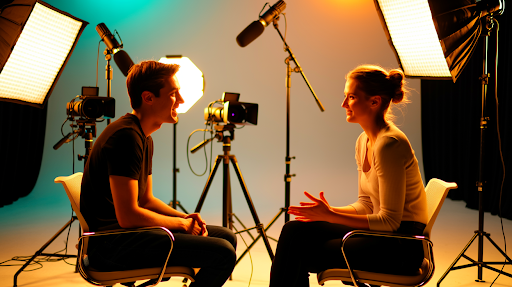
    Conversation between two participants in a video

    Viewers do not only watch now.

    They comment, remix, stitch, duet, vote, share, argue, copy, and turn moments into their own content. A video can travel further when it gives the audience something to do with it.

    That is where interactive video content can help.

    A creator might ask viewers to choose what happens next. A campaign might use polls. A brand might invite user submissions. A live video might let comments guide the next move.

    This can improve audience engagement because people remember what they participate in.

    Not every video needs interaction. Some stories work better when viewers simply watch. But if participation is part of the goal, it should be built into the idea early.

    Added late, it usually feels like a gimmick.

    The Better Planning Question

    Before a camera rolls or a storyboard starts, ask this:

    What should the viewer feel, remember, or do after watching?

    That one question can save the whole project from becoming scattered.

    If the goal is awareness, make the video memorable. If the goal is engagement, give people something to react to. If the goal is trust, show something honest. If the goal is conversion, make the next step clear without killing the entertainment.

    Weak videos often try to do everything at once.

    Brand film. Product demo. Social ad. Testimonial. Comedy sketch. Campaign teaser.

    That is too much for one piece of content.

    One video should have one main reason to exist. Keep that reason visible from the first frame to the final cut.

    Final Words

    Modern viewers are captivated by entertainment video production when it provides them with a compelling cause to continue watching. A compelling introduction, a clear tale, emotional appeal, clever visual choices, platform knowledge, and sound production judgment are all important. The video may be animated, live-action, branded, interactive, short-form, serious, hilarious, or cinematic.

    The presentation is less important than the content. The primary question is if the spectator remains, feels something, recalls the concept, or wishes to respond after seeing.

    Frequently Asked Questions

    Entertainment video production is the process of making videos that captivate viewers through plot, graphics, sound, editing, emotion, and platform-friendly presentation.
    Storytelling gives the video direction. It helps viewers follow what is happening, care about the message, and remember the video after it ends.
    A powerful introduction, clear premise, emotional pull, solid pace, appropriate visual style, and clean production choices all contribute to an entertaining video.
    Yes. Brands may employ entertainment video for social promotions, product launches, awareness, branded content, audience engagement, and tales that don’t feel like blatant advertisements.
    The optimal length varies depending on the platform and purpose. Short-form social videos should be focused and concise, but brand videos, YouTube content, and campaign videos can be longer provided the story is engaging.

    Related Articles:
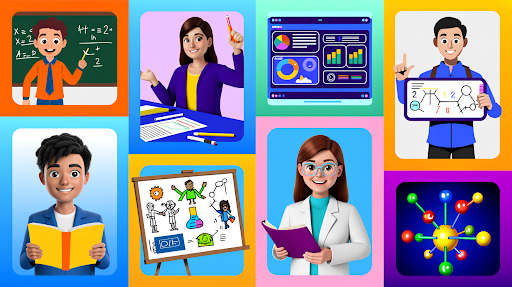
  • Different Types of Animation and How to Choose the Right One

    Different Types of Animation and How to Choose the Right One

    There are many different types of animation, but the right choice usually has less to do with taste and more to do with the job of the video.

    That sounds obvious until a project starts.

    Someone on the team finds a glossy 3D reference. Someone else likes a clean 2D brand film. Another person wants bold motion graphics because they saw a SaaS ad that looked sharp. All fair. References help. But they can also pull the project in the wrong direction.

    A product demo, a software walkthrough, a social ad, a training video, and a medical device animation should not be treated the same way.

    The style should answer the viewer’s question.

    1. 2D Animation

    2D animation example

    2D animation works well when the video needs a simple situation people can recognize.

    A customer gets stuck during checkout.
    A new employee does not understand a process.
    A student finally understands a rule.
    A patient wants to know what happens after an appointment.

    These do not need deep product detail. They need clear scenes.

    That is why 2D animation is common in education, healthcare, HR, service pages, app videos, customer support, training content, and many explainer videos. It can feel friendly without becoming childish. It can also be serious if the script and visual style are handled properly.

    A 2D explainer video company can turn a plain idea into a short human moment. That is the real strength of 2D. It makes a problem easy to see.

    I would avoid it when the buyer needs to study the product itself. If shape, texture, parts, or movement matter, 2D may not be enough.

    2. 3D Animation

    3D animation example

    3D animation is often chosen because it looks expensive. That is not a good enough reason.

    It should be chosen because the viewer needs depth.

    A machine part turning inside a housing. A medical device opening up to show internal components. A skincare bottle rotating under light. A furniture piece showing assembly. A building concept viewed from different angles.

    That is where 3D animation earns the extra effort.

    A 3D explainer video company can show product movement, hidden parts, scale, materials, and structure in ways flat visuals cannot. For technical products, this can save a lot of explanation.

    The practical distinction between 2D and 3D animation is clear: 2D is better for people and daily scenes, but 3D is better for comprehending things.

    If 3D does not reveal anything useful, it may only add cost and production time.

    3. Motion Graphics

    Motion graphics example

    Motion graphics are for order.

    A dashboard. A workflow. A financial process. A set of data points. A cybersecurity flow. A logistics chain. A service model that looks boring in plain text.

    These topics may not need characters at all.

    Motion graphics use icons, labels, lines, charts, typography, UI screens, and controlled movement to help the viewer follow the idea. Good motion graphics feel clean because the movement has a purpose. Bad ones look like shapes flying around for no reason.

    This style is useful for finance, SaaS, reports, B2B services, investor explainers, internal presentations, and process videos.

    For many animated marketing videos, motion graphics are the most practical option. They explain fast. They revise fairly well. They do not need a long story setup.

    The key is restraint. If everything moves, nothing stands out.

    4. Whiteboard Animation

    Whiteboard animation example

    Whiteboard animation still works for the right topic, but it is easy to make it look tired.

    The good version feels like a teacher building an idea in front of you. A sketch appears. Then a note. Then the next point. The viewer follows the explanation as it grows.

    This makes whiteboard animation an excellent choice for training, education, nonprofit concerns, policy explanations, compliance, and basic financial courses.

    Everyone is familiar with the basic version, which includes a stick figure, a lightbulb, a handshake, a dollar symbol, and a couple of arrows. It feels generic because it is.

    Whiteboard needs specific drawings. It also needs a script that moves carefully without dragging.

    If the topic needs patient teaching, this style can still work. If the product needs beauty, energy, or technical detail, I would choose something else.

    5. Stop Motion Animation

    Stop motion animation example

    Stop motion has a physical feel.

    Paper moves. Clay shifts. A product box opens frame by frame. Food slides across a table. Real props make the video feel handmade and touchable.

    That is the appeal of stop motion animation.

    It works well for food brands, homemade items, craft enterprises, package launches, children’s advertising, and playful social content. It appears less computerized, which might be refreshing.

    The problem is flexibility.

    If the label changes after the shoot, or a product detail needs updating, you may not be able to fix it quickly. Sometimes the scene has to be rebuilt and shot again.

    Use stop motion when texture and charm matter. Avoid it when the product, offer, or script may change often.

    6. Character Animation

    Character animation example

    Character animation gives the problem a face.

    A tired manager chasing approvals. A founder buried in spreadsheets. A parent comparing learning apps. A customer stuck with poor support. A new employee trying to understand onboarding.

    This style works when the audience needs to feel the situation before they care about the solution.

    That is why an explainer video company may suggest characters for service businesses, HR, education, healthcare, coaching, fintech, and customer support videos. Some offers sound ordinary until the viewer sees the frustration they solve.

    Character animation can also help when a brand wants a recurring mascot or recognizable figure across campaigns.

    Still, it is not always the right fit. Technical buyers may not want a character story. They may want proof, detail, and product function. In that case, the character can become a distraction.

    7. Product Animation

    Product animation example

    Product animation should show the product properly and quickly.

    No long warm-up. No vague opening line. No thirty seconds of atmosphere before the thing appears.

    The viewer wants to know:

    What does it look like?
    How does it move?
    What opens, folds, locks, fits, or connects?
    What can animation show that a photo cannot?

    That is the job of product animation.

    It can be either 2D or 3D, with 3D being preferable for actual things with shape, materials, internal parts, or movement. It is ideal for e-commerce, medical devices, technology products, industrial instruments, packaging, consumer goods, and campaign launches.

    The product should lead the video.

    If the viewer finishes and only remembers the music or background, the video missed the point.

    8. Animated Marketing Videos

    Animated marketing video example

    Marketing teams often try to put too much into one video.

    The brand story. The features. The benefits. The offer. The process. The testimonial. The CTA. The campaign message.

    That usually creates a crowded video.

    When choosing types of animation for marketing, start with the funnel stage. A cold social ad may need one pain point. A homepage video may need basic clarity. A retargeting video may need to answer one objection. A product launch may need proof and visual interest.

    If you are asking for the best animation style for business videos, the answer depends on what the viewer already knows.

    New viewer? Keep it simple.
    Interested viewer? Show value.
    Warm lead? Give proof.
    Buyer with doubts? Answer the doubt directly.

    One video should move the viewer one step, not all the way from stranger to customer.

    9. SaaS Animation

    SaaS animation example

    SaaS videos get heavy when they try to explain the whole platform at once.

    Dashboard, features, integrations, reports, onboarding, automation, user roles, pricing logic. It is too much. The viewer leaves with a general impression but no clear memory.

    A SaaS explainer video company will usually break that into smaller videos.

    One homepage video for the main promise.
    One feature walkthrough for a specific workflow.
    One onboarding clip for new users.
    One demo-page video that explains what happens on the call.
    One short sales follow-up answering a common objection.

    That approach works because SaaS buyers like to research before talking to sales.

    For software, animation often mixes styles. A short character moment can show the pain. Motion graphics can explain the system. UI animation can show the product flow.

    This is one of the most useful animation styles for explainer videos because the product may be complex, but the message should feel simple.

    10. Mixed Media Animation

    Mixed media animation example

    Mixed media can look fresh when it has a clear direction.

    It can include live footage, 2D graphics, 3D product shots, pictures, UI screens, typography, motion graphics, and collage-style editing.

    Used well, it gives a video energy and variety. Used badly, it feels like several different ideas fighting for attention.

    Mixed media works for campaign videos, brand films, event promos, product launches, social ads, and editorial-style pieces.

    Every element needs a reason. Live footage may add trust. 3D may show the product. Motion graphics may explain a number. Typography may sharpen a key phrase. UI screens may show the actual experience.

    If the viewer notices the style more than the message, the video is too busy.

    How to Choose the Right Animation Style

    If you are wondering how to choose the right animation style, start with the viewer’s problem, not the visual style.

    Do they need to relate to a person? Use 2D or character animation.
    Do they need to understand shape, parts, or movement? Use 3D or product animation.
    Do they need a process, chart, or workflow explained? Use motion graphics.
    Do they need slow teaching? Whiteboard may work.
    Do they need something tactile? Stop motion can help.
    Do they need pace and variety? Mixed media may fit.

    Also be honest about budget and timeline.

    3D and stop motion can take longer. 2D and motion graphics are frequently easier to alter, depending on the concept. If your product is subject to frequent modifications, select a style that will not be painful to update.

    The right animation style is the one that makes the message easier to understand. That is the test.

    Final Words

    The different types of animation all serve different jobs. 2D is useful for human stories and simple explanations. 3D helps with products, depth, and technical detail. Motion graphics explain systems, data, and workflows. Whiteboard animation works for teaching.

    Stop motion adds a handmade feel. Character animation builds relatability, while product animation shows function clearly. SaaS, marketing, and mixed media videos are designed to fit the viewer’s stage and message. After determining what the audience needs to see, learn, or do next, select a style.

    Frequently Asked Questions


    Related Articles


    AI Result

  • Educational Cartoons in Modern Classrooms: 10 Benefits for Better Learning

    Educational Cartoons in Modern Classrooms: 10 Benefits for Better Learning

    Educational cartoons in modern classrooms can either help a lesson land or waste ten minutes. There is not much middle ground.

    Teachers know this already. A random cartoon at the end of class becomes background noise. Students watch it, maybe laugh once, then forget it. But a short animated scene placed right before a difficult explanation, or right after students have struggled with an idea, can do something useful.

    It can show what the teacher has been trying to explain.

    That is the real value. Not the bright colors. Not the cute characters. Not the fact that it is “digital.” The value is in helping students see, feel, or remember something that was not clear enough before.

    1. Some Lessons Need a Picture Before They Make Sense

    A few topics are almost unfair to explain only with words.

    Evaporation. Digestion. Electricity. Germs spreading. Fractions. A comma changing the rhythm of a sentence.

    Students may listen carefully and still not picture what is happening. They are not always confused because the teacher explained badly. Sometimes the idea is just too hidden.

    That is where animated educational videos help. Water rises from a puddle. Clouds build. Food moves through the body. A circuit lights up. A character pauses in the middle of a sentence, and suddenly the comma does something.

    A good explainer video company should understand that classroom animation is not decoration. It has to clear up confusion. If the video looks nice but students still cannot explain the concept afterward, it has not done the job.

    The best classroom cartoons make students say, “Oh, that’s what you meant.”

    2. Attention Needs a Reset Sometimes

    There is a certain kind of classroom silence that teachers recognize.

    It is not focus. It is not calm. It is that quiet moment when half the room is technically present but mentally drifting.

    A pencil rolls. Someone checks the clock. A student keeps copying notes but has stopped understanding them.

    A short piece of classroom animation can pull the room back without the teacher having to fight for attention. The trick is to use it as a teaching moment, not a break.

    Play the clip. Pause it.

    Ask something specific.

    “What did the character miss?”
    “Why did the process stop?”
    “What changed between the first try and the second?”

    That improves student engagement because students are not being asked to respond from nothing. They have a shared moment in front of them.

    Two minutes can be enough. Longer is not always better.

    3. Visual Learners Get Another Way Into the Lesson

    Some students need the idea to appear in front of them before it settles.

    That is not laziness. It is not poor listening. It is simply how many students process information.

    Visual learning helps because animation can show order, movement, size, expression, tone, and consequence in one place.

    A grammar lesson is a good example. A teacher can explain that a question mark changes the sentence. Students may nod. But when an animated character asks a question, raises their voice slightly, waits, and looks puzzled when nobody answers, the mark suddenly has a purpose.

    Fractions work the same way. A pizza cut unfairly, then corrected, can make the difference between one half and one quarter easier to feel.

    That kind of learning experience is not about making the topic easier in a lazy way. It gives students another route to the same understanding.

    4. Students Remember Little Scenes

    Students forget definitions quickly.

    They remember moments.

    A character forgets to wash hands. Germs move from the desk to the pencil to the lunchbox. A student posts something unkind online and watches another child’s face change. A raindrop travels through the sky, falls, runs into a river, and returns to the sea.

    That scene becomes the memory hook.

    This is why cartoons help with lesson retention. The lesson is not floating around as a loose instruction. It is attached to an event.

    There is usually a mistake, a result, and a correction. Students can talk about that. They can retell it. They can connect it back to the rule.

    For health education, digital safety, science, grammar, social studies, and classroom behavior, this matters. The story gives the idea somewhere to live in memory.

    5. Sensitive Topics Become Easier to Begin

    Some topics make a room uncomfortable before the first sentence is finished.

    Bullying. Hygiene. Anger. Personal safety. Respect. Peer pressure. Online behavior. Friendship problems.

    If the teacher speaks too directly, students may laugh, hide behind jokes, or pretend the issue belongs to other people. A cartoon gives everyone a little distance.

    Now the class is not talking about a student in the room. They are talking about a character.

    “What should he have done?”
    “Why did that message hurt?”
    “What could she say next time?”

    These are real benefits of educational cartoons for students. They help teachers begin difficult conversations without making anyone feel exposed.

    The topic does not become soft. It just becomes possible to talk about.

    6. Animation Can Show Depth That the Board Cannot

    An example of educational animation

    A board drawing can do a lot. So can a textbook diagram.

    But some topics need movement and depth.

    The inside of a heart. A bridge holding weight. The layers of the earth. A machine part moving from inside. A cell dividing. Electricity traveling through a circuit.

    Students may learn the labels and still not understand how the parts work together.

    A 3D explainer video company can help when a lesson needs space, scale, structure, or internal movement. Biology, medicine, engineering, geography, architecture, and environmental science all have topics where a flat image is not enough.

    This is especially useful for complex concepts. Students can look inside something, move around it, and see how one part affects another.

    That said, 3D is not always the right answer. If the lesson is about classroom behavior or a simple language rule, 2D may be cleaner. Use depth only when depth teaches.

    7. Stories Help Students Care About the Lesson

    Teachers already use stories constantly.

    They say things like:

    “Imagine a shopkeeper gives the wrong change.”
    “Think of a student who forgets their homework.”
    “Picture a raindrop moving through the sky.”
    “What happens if someone shares a password?”

    Cartoons turn those examples into something students can watch.

    That is classroom storytelling in a practical form. A character has a problem. A choice is made. Something changes. The lesson appears through the situation, not as a dry instruction.

    A 2D explainer video company can create these small story-led lessons for teamwork, classroom behavior, digital safety, communication, emotional learning, financial literacy, and study habits.

    2D works well here because these lessons are usually about people and choices.

    The story does not need to be dramatic. A small familiar classroom moment is often stronger.

    8. Repeating the Lesson Stops Feeling Like Repeating the Lesson

    Teachers repeat things because students need more than one pass.

    Students, of course, do not always enjoy hearing the same explanation again.

    A cartoon changes the route.

    The teacher explains the idea. Students watch it happen. The teacher pauses the clip. The class talks through what they saw. Then students try the task themselves.

    Same concept. Different path.

    That is how cartoons improve classroom learning in a very practical way. The teacher is not simply saying the same thing again. Students are getting another angle.

    In math, animation can show each step of a problem. In vocabulary, it can place the word inside a normal situation. In science, it can replay a process slowly enough for students to explain it back.

    Sometimes the second explanation works because it does not feel like the second explanation.

    9. Cartoons Fit How Lessons Are Shared Now

    Most classrooms already move between books, boards, screens, tablets, online portals, homework links, and recorded resources.

    Cartoons fit into that routine easily.

    A teacher can play a clip during class, send it home for revision, add it to e-learning videos, or share it with a student who missed the lesson. A student who did not understand the topic the first time can replay it later.

    That makes cartoons useful digital learning tools, not just entertainment during school hours.

    A SaaS explainer video company often understands repeatable guidance because software users need clear steps they can return to when they get stuck. Students need that too. They forget steps. They miss details. They need another look.

    This is one reason educational animation for modern classrooms makes sense. It gives teachers a reusable explanation without forcing them to reteach the full topic every time.

    10. The Teacher Still Matters Most

    A cartoon cannot read the room.

    It cannot notice the student who looks confident but is lost. It cannot change the explanation because half the class missed the point. It cannot decide whether students need another example or a harder task.

    The teacher does that.

    That is why using animated videos in teaching works best when the teacher stays in charge.

    A simple structure is often enough.

    Introduce the idea. Play a short clip. Pause at the useful moment. Ask what students noticed. Connect it to the worksheet, textbook, discussion, quiz question, or activity.

    The video opens the door. The teacher turns it into learning.

    Used well, animation supports the lesson. Used carelessly, it becomes screen time with a school label.

    Choosing the Right Cartoon for the Lesson

    Different types of educational animation

    Not every animated video belongs in class.

    Some move too fast. Some are too childish for the age group. Some are funny but empty. Some look polished and still skip the exact part students find confusing.

    Before using one, a teacher should ask a few honest questions.

    What should students understand after watching?
    Is the language right for this class?
    Does it fit the lesson, or am I forcing it in?
    Where should I pause?
    What should students do afterward?

    That is why teachers use cartoons in lessons when the goal is learning, not filling time.

    A cartoon can introduce a topic. It can explain the hard part. It can model behavior. It can help students review before a quiz.

    Placement changes the value.

    At the start, it can create curiosity. In the middle, it can clear up confusion. At the end, it can help students leave with the main idea still fresh.

    Final Words

    Educational cartoons in modern classrooms are effective when they are brief, focused, age-appropriate, and linked to a specific teaching aim. They promote visual learning, increase student engagement, clarify complicated topics, and help students retain ideas by using situations rather than simple rules. 

    They also make delicate issues simpler to address and allow professors to reinforce tough ideas without boring the class. The finest cartoons cannot replace instructors. They give the lesson another way to land.

    Frequently Asked Questions

    No FAQs found.

    Related Articles:
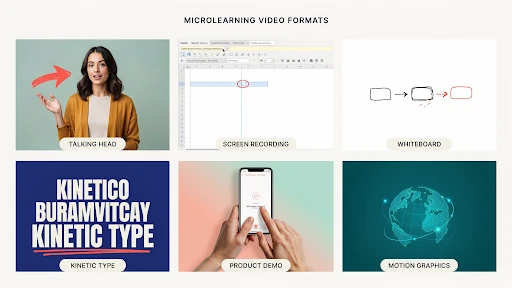
  • Micro-Learning Videos Under 60 Seconds: A How-to-Make Guide

    Micro-Learning Videos Under 60 Seconds: A How-to-Make Guide

    A micro-learning short video should feel like the answer someone needed five minutes ago. Not a course. Not a lecture. Not a tiny webinar wearing a training badge. Just one useful thing, explained quickly enough that the viewer can remember it and use it.

    That is where most teams mess it up.

    They start with a simple idea, then add a brand intro, three learning goals, a policy reminder, a manager quote, and a closing slide nobody asked for. By the time the actual lesson starts, half the 60 seconds are gone.

    Microlearning only works when it stays small.

    Start Smaller Than Feels Comfortable

    A 60-second video has no patience for “while we’re here.”

    Pick one thing.

    Not “how to handle customer complaints.” That is too big. Try “how to open your first reply to an angry customer.”

    Not “how to use the CRM.” Too wide. Try “how to update a lead status after a call.”

    Not “safety basics.” Too vague. Try “how to check the lock before starting the machine.”

    That is the first rule of microlearning videos. The topic should be so specific that the video almost writes itself.

    A team using explainer video services should expect this kind of trimming before production begins. The hard part is not always animation or editing. Sometimes the hard part is telling the client, “This is three videos, not one.”

    Write the Learning Goal in Plain English

    Before the script, write one sentence:

    “After watching this, the person should be able to…”

    If the sentence keeps growing, your topic is not ready.

    For example:

    “After watching this, the rep should know how to confirm the refund timeline.”

    Good.

    “After watching this, the rep should understand refund policy, customer tone, escalation steps, account notes, and manager approval.”

    Too much.

    That second version is a mini-course. It might be useful, but it is not a 60-second training video.

    This is also the answer to how long microlearning videos should be. They should be as short as the lesson allows. Many sit between 30 and 60 seconds nicely. If the topic needs two minutes, split it.

    Do Not Waste the Opening

    The first line should get straight to the point.

    Bad opening:

    “Today we will discuss an important workplace communication skill that can help improve customer experience.”

    Nobody talks like that. Nobody wants to hear it either.

    Better:

    “Before you reply to an angry customer, check the order history first.”

    Now the viewer knows why they are watching.

    Good short training videos do not warm up for too long. They start where the mistake happens, where the question comes up, or where the viewer usually gets stuck.

    That tiny shift makes the video feel more useful right away.

    Use a Real Moment From the Job

    The best microlearning topics are already sitting inside the workday.

    A new employee forgets to tag a ticket.
    A sales rep skips the follow-up note.
    A warehouse worker scans the wrong label.
    A manager gives feedback that is too vague.
    A customer support agent promises a refund date too early.

    That is where good employee training videos come from. Not from broad training themes. From moments people actually repeat.

    For microlearning video examples for employee training, think smaller than a course menu. A 45-second clip can teach how to greet a walk-in customer, how to confirm a delivery address, how to spot a phishing email, or how to end a sales call with a clear next step.

    One scene. One mistake. One better action.

    Keep the Script Slightly Messy in a Human Way

    Writers working on scripts for a microlearning video

    A training video script should sound spoken, not printed.

    People do not talk in perfect policy sentences. They pause. They use shorter phrases. They explain things in the order they would actually say them.

    For example:

    “Open the customer profile first. Check the last order. Then reply. Do not guess from the email alone.”

    That works better than:

    “Representatives should verify customer account information prior to responding in order to ensure accuracy.”

    The second one sounds like it came from a handbook. The first one sounds like a supervisor who knows the job.

    For e-learning video content, that matters. The viewer is more likely to remember a line that sounds like something a real person would say.

    Show the Action, Not Just the Rule

    A rule is easy to ignore.

    A shown action is easier to copy.

    If the lesson is about logging a support note, show the note being added. If the lesson is about checking a safety lock, show the hand checking the lock. If the lesson is about choosing the right CRM tag, show the dropdown and the correct tag.

    This is where instructional video production needs discipline. Fancy transitions will not save a vague lesson. The viewer should never wonder, “Okay, but what do I actually do?”

    Show the action once. Explain why it matters. End with the reminder.

    That is enough.

    Use 2D When the Idea Needs to Feel Simple

    Some topics are not exciting to film.

    A customer journey. A compliance rule. A workflow handoff. A manager conversation. A refund process. A data privacy reminder.

    That is where a 2D explainer video company can help. 2D animation can turn dry internal training into clean scenes with characters, icons, short labels, and simple motion.

    It works well for bite-sized learning because it removes clutter. You can show only what matters. No messy office background. No awkward acting. No extra details pulling attention away from the lesson.

    The style should stay simple. Microlearning does not need visual fireworks.

    Save 3D for Topics That Need Space or Movement

    3D animated microlearning video

    Some lessons need more depth than flat visuals can give.

    Equipment training. Product assembly. Medical device handling. Safety checks. Machine parts. Technical hardware. Anything where shape, motion, angle, or internal parts matter.

    That is when a 3D explainer video company makes sense.

    A 3D training clip can show a part from the inside, slow down a movement, rotate the product, or highlight a dangerous contact point. That can be much clearer than filming the same thing with a camera, especially when the real action happens too fast or too small.

    But do not force 3D onto a simple lesson. A password reset does not need dramatic depth.

    SaaS Products Need Microlearning Inside the Flow

    Software users rarely want to leave the product to learn the product.

    They want help right where they are stuck.

    That is why SaaS explainer video company support can be valuable for product teams. A SaaS brand may need short clips for onboarding, feature adoption, dashboard setup, billing steps, account permissions, or customer success emails.

    The best clips feel placed, not dumped.

    A 35-second video beside a setup step can beat a long help article. A quick feature clip inside the dashboard can stop a user from opening a support ticket. A short onboarding video can help someone reach the first useful action faster.

    This is where short training videos for workplace learning and product education start to overlap.

    Where These Videos Fit Best

    Microlearning is useful when timing matters.

    Use it inside onboarding portals, LMS modules, Slack or Teams channels, help centers, customer education emails, sales enablement libraries, product dashboards, HR refreshers, and safety reminders.

    The closer the video sits to the task, the better.

    A safety reminder helps more before the shift than three weeks earlier in a course. A CRM clip helps more next to the CRM task than buried inside a 20-page guide. A product tutorial helps more inside the dashboard than hidden in a support article.

    The best format for micro learning short video is the one the viewer can find when they actually need it.

    Final Words

    A microlearning short video works when it respects the viewer’s time. Keep the topic narrow. Use real work moments. Write as a person speaks. Show the action clearly. Add captions. 

    Choose 2D, 3D, screen recording, or live footage based on what teaches the point fastest. Under 60 seconds, there is no space for filler. The best microlearning videos feel like quick help from someone who knows the job, not a compressed training module.

    Related Articles:

  • The Perfect Explainer Video Structure: Hook, Problem, Solution, & CTA

    The Perfect Explainer Video Structure: Hook, Problem, Solution, & CTA

    An explainer video structure formula saves a video from turning into a moving brochure. That is the blunt version. Most weak explainers do not fail because the animation looks bad. They fail because the story wanders. The opening takes too long. The problem feels soft. The solution arrives late. The CTA sounds like it was pasted on in the last five seconds.

    A good explainer does not need a complicated structure. It needs a clean path.

    Hook.
    Problem.
    Solution.
    Proof.
    CTA.

    That is usually enough.

    Why Explainer Video Structure Matters

    A viewer decides fast.

    If the video does not make sense in the first few seconds, they are gone. Maybe not physically. They might still be watching. But mentally, they have checked out.

    That is why explainer video structure matters more than people think. It gives the viewer a reason to keep following. One idea leads to the next. No random feature dump. No slow company intro. No “we are passionate about helping businesses” opener that could belong to any brand.

    A strong explainer video script feels like someone is guiding the viewer through a problem they already recognize.

    That is what makes the structure useful. It removes the guesswork.

    The Explainer Video Structure Formula That Actually Works

    The simplest explainer video structure formula looks like this:

    Start with the hook.
    Name the problem.
    Show what happens if the problem stays.
    Introduce the solution.
    Explain how it works.
    Show the outcome.
    End with one clear action.

    That may sound basic, but it works because it follows the viewer’s attention.

    People do not care about your product first. They care about their own friction. Once you show that you understand the friction, they give you more attention. Then you earn the right to explain the solution.

    That is the core of how to structure an explainer video without overloading it.

    Step 1: Write a Hook That Sounds Like the Viewer’s Problem

    The video hook has one job. Make the viewer feel, “This is about me.”

    Do not open with your company name. Do not open with a vague industry statement. Do not open with a slow brand line that sounds nice but says nothing.

    Open with tension.

    For a SaaS product, it might be:

    “Your team is still chasing updates across five tools.”

    For a fintech app:

    “Most people do not know where their money goes until it is already gone.”

    For a healthcare platform:

    “Patients forget instructions because the appointment moves too fast.”

    That is a real hook. It starts where the viewer already feels the problem.

    A company offering explainer video services should push clients toward that kind of opening. The first line has to earn attention, not decorate the video.

    Step 2: Make the Problem Specific

    The problem section is where many videos get weak.

    They say things like:

    “Managing your business can be challenging.”

    Yes, but that means nothing. What part is challenging? Who feels it? What does it cost them?

    A better problem is concrete.

    “Your sales team spends Monday morning updating spreadsheets instead of following up with leads.”

    That works because it has a real scene. You can picture it. You can feel the wasted time.

    This is the heart of the problem solution framework. The problem should be sharp enough that the solution feels necessary. If the problem is vague, the product feels optional.

    Step 3: Do Not Stay in the Problem Too Long

    A little tension helps. Too much becomes annoying.

    The viewer already knows the problem. They do not need 40 seconds of pain. They need enough to feel understood, then they need movement.

    This is where video storytelling becomes practical. A good script does not sit in one mood for too long. It shifts.

    Problem. Pressure. Relief.

    That rhythm keeps the video moving.

    In a 60-second explainer video, the problem might only take 10 to 15 seconds. In a 90-second video, maybe 20. If the product is complex, you can take slightly longer, but do not turn the video into a complaint.

    Get to the solution before patience runs out.

    Step 4: Introduce the Solution Without Overselling It

    An example of an explainer video

    The solution should feel like the natural answer to the problem.

    Bad version:

    “That is why we created the most advanced platform for modern teams.”

    Better version:

    “That is why our platform brings every update, approval, and next step into one shared view.”

    The second one explains what changes.

    That matters.

    When the solution enters, avoid the urge to sound huge. Most viewers do not need a dramatic reveal. They need a clear explanation.

    If the video is for a technical product, a 3D explainer video company may use product cutaways, system visuals, or spatial animation to show what the solution does. But the script still needs restraint. Do not say everything the visuals already show.

    Let the screen do some of the work.

    Step 5: Explain How It Works in Three Beats

    A good explainer usually needs three simple steps.

    Not seven. Not twelve.

    Three is enough for most videos.

    For example:

    Connect your tools.
    Track every update in one place.
    See what needs action before work gets stuck.

    That is simple. It gives the viewer a mental path.

    This is where a clear explainer video outline helps before production begins. If the team cannot explain the product in three beats, the video may need a narrower focus.

    A 2D explainer video company can handle these steps with icons, character scenes, UI snippets, or simple motion graphics. The key is pacing. Each beat should feel useful, not rushed.

    Step 6: Show the Outcome, Not Just the Feature

    Viewers care about what changes.

    A feature says:

    “Automated reporting.”

    An outcome says:

    “You stop building the same report by hand every Friday.”

    That is the difference.

    A strong animated explainer video should show the viewer a better version of the situation. Less confusion. Faster setup. Fewer missed tasks. Easier decisions. Clearer customer communication.

    This is especially important for the best explainer video structure for startups. Early-stage brands often want to explain everything because they are still proving themselves. That instinct is understandable, but it usually hurts the video.

    Show the outcome clearly. Let the viewer feel the practical win.

    Step 7: Add Proof Without Slowing the Video Down

    Proof does not always mean a testimonial or a statistic.

    It can be a quick product screen.
    A short customer scenario.
    A before-and-after moment.
    A recognizable workflow.
    A result the viewer can believe.

    The point is to make the solution feel real.

    For B2B products, especially software, the explainer video structure for SaaS products should include proof that the workflow actually makes sense. A clean UI moment can do more than a broad claim.

    A SaaS explainer video company may build this proof through screen-based scenes, onboarding flows, dashboard moments, or role-based examples. The best SaaS videos do not just say the product is easy. They show the user getting through one important task.

    Step 8: End With One CTA

    CTA at the end of an explainer video

    The explainer video CTA should be clear and singular.

    Do not ask viewers to book a demo, download a guide, follow the brand, visit three pages, and start a trial all at once. Pick one.

    The CTA should match the stage of the viewer.

    For a homepage video:

    “Book a demo.”

    For a product education video:

    “Start with the setup guide.”

    For a sales follow-up video:

    “See the workflow in action.”

    This is also where how to write a conversion-focused explainer video becomes simple. The CTA should feel like the next step after the story, not a sudden sales push.

    If the video explained a problem well, the CTA does not need to beg.

    Frequently Asked Questions

    The best structure is hook, problem, solution, how it works, outcome, and CTA. It keeps the video focused and easy to follow.
    Most explainers work best around 60 to 90 seconds. More complex products can run longer, but only if the extra time helps the viewer understand.
    The hook should make the viewer recognize their problem quickly. It should feel specific, not like a generic opening line.
    Usually one to three key features are enough. The video should focus on the features that directly support the main problem and solution.
    A good CTA gives the viewer one clear next step, such as booking a demo, starting a trial, watching a walkthrough, or contacting the team.

    Final Words

    The explainer video structure formula is not complicated, and that is why it works. Start with a hook that sounds like the viewer’s real problem. Make the problem specific. Introduce the solution at the right time. Explain how it works in a few clean beats. Show the outcome. End with one clear CTA. 

    That structure gives the video a spine. Without it, even good animation can feel scattered. With it, the message becomes easier to follow, easier to remember, and much easier to act on.

    Related Articles:
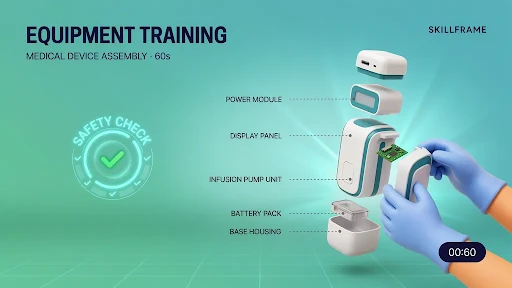
  • Fintech Explainer Videos: Simplifying Complex Products to Win More Customers

    Fintech Explainer Videos: Simplifying Complex Products to Win More Customers

    Fintech explainer videos work because most financial products are not easy to understand at first glance. A savings app, payment platform, lending tool, investment dashboard, crypto feature, or fraud-prevention system may be useful, but if the customer has to work too hard to understand it, they may leave before signing up.

    That is the real problem.

    Fintech brands often sell trust and clarity before they sell a feature. If the product feels confusing, people hesitate. If it feels risky, they back away. A good explainer video helps close that gap.

    Fintech Customers Do Not Want a Finance Lecture

    Most people do not wake up wanting to learn your product architecture.

    They want to know something simpler.

    Is my money safe?
    How does this work?
    What will it cost me?
    Can I trust this company?
    What happens after I sign up?

    That is where fintech video marketing has to be careful. The video should not sound like a pitch deck. It should sound like someone explaining the product to a smart person who just does not know the industry language yet.

    A strong explainer video company can help turn financial language into a story people can follow. Not by dumbing it down. By removing the fog.

    Why Financial Products Feel Hard to Explain

    Fintech products often sit between technology, regulation, money, and user behavior. That is a tough mix.

    A payment app may need to explain speed and security. A lending platform may need to explain eligibility, repayment, and fees. A trading product may need to explain risk. A banking tool may need to explain account access, transfers, and identity checks.

    This is why financial explainer videos are useful. They can show the steps instead of listing them. They can point to the moment where the user takes action, gets approval, receives funds, tracks spending, or protects an account.

    That is usually easier to understand than a dense product page.

    Start With the Customer’s Anxiety

    A lot of fintech videos start with features.

    That is usually too early.

    Start with the hesitation instead. Money is personal. People are cautious when a product touches their bank account, card, credit score, investment portfolio, or business cash flow.

    This is where trust in financial products becomes the real story.

    A customer may not say, “I need a digital wallet with advanced authentication.” They may say, “I do not want my payment details exposed.” That is the line the video should get closer to.

    If the customer’s worry is security, show security clearly. If the worry is cost, explain pricing plainly. If the worry is setup, show the first few steps.

    Do not hide the hard questions. Answer them.

    Product Videos Should Show the First Useful Moment

    A good fintech product video should get to the first useful moment fast.

    For a budgeting app, that might be seeing spending categories for the first time. For a payment tool, it might be sending money in a few taps. For a lending platform, it might be understanding the application process without feeling trapped in fine print.

    This is the heart of how fintech explainer videos help customers understand products. The video should not explain every feature. It should show the moment when the product becomes useful.

    That is where many videos get bloated. They try to cover the whole platform. The customer just needs to understand the first win.

    Animation Makes Abstract Finance Easier to See

    Finance has a visibility problem.

    You cannot film risk scoring in a natural way. You cannot film fraud detection happening behind the scenes. You cannot film an API helping payments move between systems without turning it into stock footage nonsense.

    That is why financial services animation works.

    Animation can show money movement, approvals, dashboard logic, encryption layers, payment flows, identity checks, and fraud alerts. It can strip the idea down to what matters.

    A 2D explainer video company can be a strong fit when the product needs icons, simple characters, clean UI moments, or a process shown step by step. 2D keeps the message friendly without making it feel childish.

    For many fintech products, that balance matters.

    Some Fintech Products Need 3D Depth

    Fintech product in 3D animation

    Not every financial product needs 3D, but some do.

    A fraud-prevention system, payment network, banking infrastructure tool, or cybersecurity product may need more depth than flat graphics can show. A 3D explainer video company can make abstract systems feel more physical.

    For example, a 3D visual could show secure data movement between banks, merchants, payment gateways, and customer devices. That kind of visual can help a technical buyer understand scale and structure faster.

    Still, 3D should not be used just because it looks premium. Use it when depth helps the explanation.

    If a simple 2D workflow explains the product better, choose that.

    Onboarding Is Where Fintech Videos Earn Their Keep

    Fintech signups can be stressful.

    There may be identity checks, bank linking, account setup, permissions, deposits, approvals, or security steps. If users do not understand why these steps exist, they may abandon the process.

    That is where customer onboarding videos help.

    A short video can explain what happens after signup, why certain information is needed, how long approval may take, and what the user should do next. It can reduce uncertainty before it turns into drop-off.

    This is why fintech explainer videos for customer onboarding are so useful. They make the first experience feel less mysterious.

    Do not make users guess during onboarding. That is a fast way to lose them.

    SaaS Fintech Products Need Role-Based Explainers

    Many fintech products are really software products with financial use cases.

    Think payment dashboards, subscription billing platforms, expense tools, risk platforms, reconciliation tools, lending software, or embedded finance products. Different users care about different parts.

    A SaaS explainer video company can help split the message by role.

    A CFO may care about reporting and control.
    A founder may care about cash flow.
    A developer may care about API setup.
    A customer support team may care about transaction visibility.

    One generic demo rarely speaks to all of them.

    A sharper approach is to create short, role-based videos. One product, different pain points. That is usually clearer than one long video trying to please everyone.

    Compliance-Friendly Does Not Mean Boring

    Fintech brands cannot talk like casual lifestyle brands. Claims matter. Risk language matters. Disclosures matter. Trust matters.

    That does not mean the video has to be dry.

    Compliance-friendly video content can still be clear, warm, and useful. The trick is to avoid exaggeration. Do not promise guaranteed returns. Do not hide fees. Do not make security sound absolute if it is not. Do not make a financial product feel simpler than it really is.

    Say what the product does. Explain the process. Show the guardrails. Tell users where to read more or speak with the right team.

    That kind of honesty can actually make the video more persuasive.

    Product Education Builds Confidence Before Conversion

    Not every viewer is ready to sign up right away.

    Some need to understand the category first. Some are comparing options. Some are worried about risk. Some are trying to explain the product to a manager or partner.

    This is where product education videos help.

    They can explain concepts like open banking, embedded payments, digital wallets, expense controls, underwriting, risk scoring, chargebacks, or automated reconciliation. These videos may not push for an immediate conversion. That is fine. They build understanding.

    For fintech, understanding is part of the sale.

    This is also how financial brands use video to build trust becomes more than a marketing idea. Useful education makes the brand feel safer to approach.

    Best Explainer Videos for Fintech Startups Keep the Scope Tight

    The best explainer videos for fintech startups usually do one thing well.

    They explain the problem clearly.
    They show the product in action.
    They avoid jargon.
    They answer the trust question.
    They end with a simple next step.

    That sounds basic, but many startup videos miss it. They try to sound bigger than they are. They pack in too many claims. They explain the technology before the customer problem.

    A better video feels specific.

    For example, “We help freelancers get paid faster without chasing clients for weeks” is stronger than “We provide a powerful payment solution for modern professionals.”

    Specific wins.

    Animated Videos Help With Complex Financial Products

    Animated videos for complex financial products work when they make the product feel less intimidating.

    Investment tools, insurance platforms, business lending products, fraud systems, and payment infrastructure can all feel heavy if explained only through copy. Animation lets the brand show the process in small steps.

    But the style should match the topic. A playful animation may work for a consumer budgeting app. A cleaner, more restrained style may work better for B2B payments, compliance, or enterprise finance.

    The viewer should feel guided, not distracted.

    Where Fintech Explainer Videos Should Be Used

    Usage of fintech explainer videos

    A video can do more than sit on the homepage.

    Use explainers on product pages, onboarding flows, email sequences, sales follow-ups, investor decks, support centers, demo pages, paid ads, and app store pages.

    A short fintech app explainer can help someone understand the value before downloading. A deeper explainer can support a sales call. A short support video can reduce repeat questions after signup.

    That is the smart way to use video. One big explainer is helpful. A small video library is better.

    Frequently Asked Questions

    Fintech explainer videos are short videos that explain financial technology products, apps, platforms, or services in simple visual language.
    They help customers understand complex products faster, reduce confusion, build trust, and make signup or purchase decisions feel less risky.
    It depends on the product. 2D animation works well for simple workflows and customer stories, while 3D can help explain infrastructure, security, or complex systems.
    Yes. They can explain signup steps, identity checks, bank linking, approvals, security steps, and what users should expect next.
    Most fintech explainers should stay focused and short, usually around 60 to 120 seconds. More complex sales or onboarding videos can run longer if needed.

    Final Words

    Fintech explainer videos help brands win more customers because they make complex products feel safer, clearer, and easier to try. The best videos do not bury people in financial language. They answer real concerns, show the first useful moment, explain the process, and build trust without overpromising. 

    For fintech startups, banks, payment platforms, lending tools, and financial SaaS products, clarity is not a nice extra. It is part of the conversion path.

    Related Articles: