Category: animation

  • Explainer Videos for Healthcare: Educating Patients

    Explainer Videos for Healthcare: Educating Patients

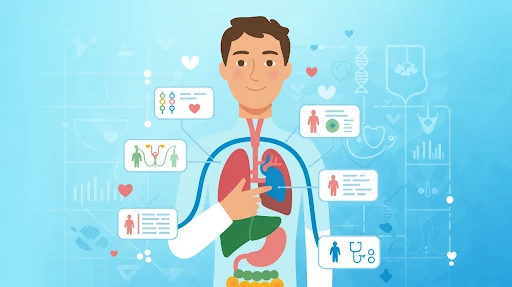
    Healthcare explainer video marketing works best when it answers the question a patient is too stressed, embarrassed, or rushed to ask. What happens during this test? Do I need to prepare? Is this normal after treatment? How do I use this portal? What does this device actually do?

    That is the real job. Not making healthcare content look fancy. Not turning a clinic into a commercial. Just making the next step easier to understand.

    A good healthcare explainer gives patients something they can replay later, when they are calmer and not trying to remember every word from a short appointment.

    Healthcare Explainer Video Marketing Should Start With Real Patient Worries

    Healthcare content often starts with the provider.

    The service. The equipment. The credentials. The treatment name.

    Patients usually start somewhere else. They want to know what the experience will be like. They want to know what to do before they come. They want to know what happens next. They may desire simple confirmation that they are not overlooking anything apparent. 

    That is why healthcare explainer videos can be useful. They take one confusing moment and make it easier to follow.

    A strong explainer video company should not treat healthcare like a normal sales category. The tone has to be steadier. The script needs fewer big claims. The visuals should support the patient, not overwhelm them.

    Nobody Wants to Decode Medical Language

    A patient may nod during a consultation and still leave confused.

    That does not mean the doctor explained it badly. It often means the patient was nervous, tired, or trying to process too much at once. Medical instructions can feel simple to staff and still feel heavy to the person hearing them for the first time.

    This is where patient education videos help.

    A short video can walk through one topic slowly. One appointment. One prep step. One aftercare routine. One device. One portal action.

    That is the most practical answer to how explainer videos educate patients. They give people a second chance to understand the information without pressure.

    Animation Shows the Parts Cameras Cannot

    Some healthcare topics just do not work well with live footage.

    You can film a physician speaking. You can film someone checking in at reception. You can film a product being held. But you cannot easily film how medication moves through the body, what happens inside a joint, or how a device works beneath the surface.

    That is where medical animation videos make the explanation cleaner.

    Animation can remove visual clutter. It can zoom in. It can slow the process down. It can label what matters and leave out what does not.

    For anatomy, implants, internal movement, diagnostics, and treatment processes, a 3D explainer video company can make a difficult subject easier to picture. The point is not to impress patients with detail. The point is to show only the details they actually need.

    Some Healthcare Topics Need a Softer Look

    Not every medical video needs 3D anatomy.

    A video about therapy intake, appointment booking, insurance steps, telehealth setup, or discharge instructions may work better with simple 2D visuals. A 2D explainer video company can use calm characters, icons, and clean scenes to make the topic feel less clinical.

    That matters.

    A patient watching a video about mental health support does not need harsh visuals. A parent learning how to prepare a child for a visit does not need technical diagrams. They need clarity and a tone that feels safe.

    This is where healthcare animation works well. It can make serious information easier to approach without making it feel childish.

    Good Healthcare Video Marketing Reduces Repeat Confusion

    A lot of confusion happens outside the exam room.

    Before the visit, people forget how to prepare. After the visit, they forget what they were told. At home, they may not remember which symptom is normal and which one needs a call.

    Good healthcare video marketing can support those moments.

    A clinic can send a prep video before an imaging appointment. A hospital can use a short discharge video for common aftercare steps. A specialist can explain what happens during a first consultation. A telehealth provider can show patients how to upload documents or join a call.

    These videos do not need to be big productions. They need to answer the question at the right time.

    That is better healthcare communication. No more information. Better-timed information.

    Medical Device Videos Need to Speak to People, Not Just Specs

    Medical device explainer videos can become too technical very quickly.

    That is usually because the company wants to show every feature. Patients and providers may not need that at first. They need to understand the problem, the use, and the value.

    A strong medical explainer video should start with the human problem. What is difficult right now? What does the device make easier, safer, clearer, or more manageable?

    Then show the device in use.

    For patients, the focus may be comfort, safety, or confidence. For providers, it may be workflow, accuracy, setup, or training. Those are different needs. Trying to fit all of them into one video often makes the message weaker.

    Sometimes the smartest move is to make separate versions.

    Healthcare SaaS Needs Different Videos for Different Users

    Healthtech platforms are not always as obvious as product teams think they are.

    A patient portal may seem simple internally. The patient still may not know where to log in, how to book, how to upload documents, or where results appear. A remote monitoring platform may help nurses, doctors, admin teams, and patients in completely different ways.

    A SaaS explainer video company can help split those messages.

    One video for patients.

    One for providers.

    One for admin teams.

    One for onboarding.

    That is much cleaner than forcing everyone into the same long demo.

    This is also why healthcare explainer videos for hospitals and clinics can do more than market a service. They can make systems easier to use.

    Patient Engagement Starts With Understanding

    Understanding medical concepts with explainer videos

    People talk about patient engagement as if it is only about apps, reminders, or portals.

    It starts earlier than that.

    A patient who understands the next step is more likely to follow it. A patient who can replay instructions is less likely to rely on memory. A family member who watches the same video can help support care at home.

    Short videos usually work best here.

    One video for preparation.

    One video for the visit.

    One video for aftercare.

    That is easier to use than one long video trying to explain everything.

    Complex Procedures Need a Careful Script

    Medical explainer videos for complex procedures should never feel rushed.

    The script has to be plain, but still accurate. The visuals should explain, not scare. The final video should be reviewed by qualified medical professionals before it goes live.

    A safe structure is usually:

    • What the procedure is
    • Why it may be recommended
    • How to prepare
    • What usually happens
    • What recovery may involve
    • When to contact the care team

    That gives patients a clear path. It does not pretend that one video can answer every personal medical question.

    Healthcare videos should educate. They should not diagnose.

    What Makes a Healthcare Explainer Work?

    The benefits of explainer videos in healthcare marketing show up when the video focuses on one real patient question.

    Not the entire service line.

    Not the full clinic story.

    Not every possible benefit.

    One topic. One answer. One clear next step.

    The wording should sound human. The tone should stay calm. The visuals should make the message easier to follow. And the video should avoid fear, pressure, and exaggerated claims.

    Patients do not need a performance. They need help understanding what comes next.

    Hospitals and Clinics Should Keep the Video Useful

    Hospital marketing videos do not need to feel dramatic.

    A simple doctor introduction can work. A short animated guide to a screening can work. A calm check-in walkthrough can work. A discharge video that patients can replay at home can work.

    Healthcare already carries enough stress. The video should not add more.

    Help first. Promote second.

    Frequently Asked Questions

    Healthcare explainer video marketing makes use of short instructional movies to explain medical services, procedures, gadgets, healthtech tools, and patient instructions in simple language. 
    They help patients understand what to expect, how to prepare, what steps to follow, and what questions to ask their care team.
    Animated movies for patient education may easily explain anatomy, instruments, procedures, and care processes, particularly when live footage is insufficient or unpleasant. 
    Videos may be used by hospitals and clinics to prepare appointments, explain services, give discharge instructions, create patient portals, train personnel, and provide follow-up care. 
    Yes. Any film that describes medical care, symptoms, treatment processes, procedures, or device use should be evaluated by trained healthcare experts before publication. 

    Final Words

    Healthcare explainer video marketing is effective when it makes healthcare appear less complex. Patients may be nervous, preoccupied, weary, or attempting to aid someone they care about. A decent video offers people a better idea of what comes next. 

    It helps doctors, clinics, hospitals, medical device manufacturers, and healthtech teams by transforming complex information into something that people can utilize. The most effective healthcare explainers aren’t glamorous. They are calm, factual, practical, and based on the patient’s actual questions. 

    Related Articles:
  • AI Avatars in Explainer Videos: Hype or Real?

    AI Avatars in Explainer Videos: Hype or Real?

    AI avatar video marketing is real, but brands are starting to treat it like a shortcut for everything. That is where the trouble begins. AI avatars can help with training clips, product updates, onboarding lessons, and quick explainers. They can save time. They can make repeat content easier. Fine.

    But they cannot fix a weak idea.

    If the script sounds flat, the avatar will sound flat. If the product story is confusing, a digital presenter will not magically clean it up. That is the part people skip when they get excited about new tools.

    AI avatars have a place. Just not everywhere.

    What AI Avatar Video Marketing Actually Means

    AI avatar video marketing uses a digital presenter to explain something on screen. The avatar may look realistic, animated, or somewhere in between. It reads a script, walks through a topic, introduces a product, or explains a process.

    You will usually see AI video avatars in training videos, help center clips, sales enablement, internal updates, and basic product tutorials. These are practical spaces. The message is repeatable. The video may need updates later. A full live shoot might feel unnecessary.

    That is when an avatar starts to make sense.

    A good explainer video company would still ask one thing first: Does this format make the message easier to understand? If the answer is no, the avatar is just decoration.

    Why Brands Are Trying AI Avatars

    The appeal is not hard to see.

    Filming people takes time. You need a presenter, lighting, sound, setup, editing, retakes, and approvals. With avatar video tools, a team can create a talking presenter faster and revise the script without filming again.

    That helps companies make a lot of AI video content.

    A SaaS brand may need short update videos every month. A training team may need the same lesson in three languages. A sales team may want quick clips for different buyer types. In those cases, avatars can reduce the drag.

    The risk is that the team starts producing more videos without improving the message. More content is not always better. Sometimes it is just more clutter.

    Where AI Avatar Explainer Videos Work Best

    AI avatar explainer videos work best when the job is a simple instruction.

    A product update. 

    A quick FAQ.

    A support answer.

    A short onboarding step.

    A basic software walkthrough.

    That is where how AI avatars are used in explainer videos becomes pretty clear. The avatar acts like a guide. It gives the video a face and voice without needing a real presenter.

    For this kind of content, the viewer mostly wants the answer. They are not looking for deep emotion or a big brand story. They want the steps, the explanation, or the next action.

    That is where avatars can be useful.

    The Trust Problem Is Not Small

    Here is the catch.

    Some digital human avatars look impressive for the first few seconds. Then something feels slightly off. The smile is too fixed. The eyes feel empty. The voice is clear, but not quite alive.

    People may not explain it that way. They may just feel less connected.

    That matters because explainer videos are not only about information. They also send a trust signal. If the viewer feels like the brand is hiding behind a synthetic face, the video can lose credibility.

    So, are AI avatars good for product explainers? Sometimes. For basic tutorials, yes. For high-trust sales videos, emotional brand stories, customer proof, or premium product launches, be careful.

    Synthetic Presenters Do Not Save Weak Scripts

    This is where many brands get fooled.

    Synthetic presenters make a video look finished quickly. Script, face, voice, background, done. But finished does not mean effective.

    The script still has to work. It needs a clear hook, simple wording, and a real reason for the viewer to keep watching. If it sounds like generic marketing copy, the avatar will only make that more obvious.

    A strong explainer still needs:

    • One real problem.
    • One clear promise.
    • Plain language.
    • Useful visuals.
    • A next step that makes sense.

    AI-generated presenters can deliver the words. They cannot make weak words strong.

    When Animation Is the Better Choice

    Animation in an explainer video

    Not every idea needs a talking face.

    Some products need to be shown. If the product has parts, movement, layers, technical details, or physical structure, an avatar may only get in the way.

    That is where a 3D explainer video company can be a better option. A 3D sequence can show the product rotating, opening, connecting, or revealing internal parts. A digital presenter standing beside it may not explain nearly as much.

    This is especially true for hardware, medical devices, machinery, industrial tools, and products where shape or function matters.

    Use the avatar when a guide helps. Let the product carry the video when the product needs to be seen.

    When 2D Works Better Than a Digital Face

    For abstract ideas, customer journeys, service processes, and problem-solution stories, 2D animation can often explain more naturally.

    A 2D explainer video company can build scenes, characters, icons, metaphors, and simple visual steps that make the idea easier to follow. No fake presenter needed.

    This matters when the message needs personality but not a human-like face. A clean animated scene can feel more honest than an avatar trying too hard to act natural.

    That is the funny thing. Sometimes, less realism feels more believable.

    SaaS Brands Have a Real Use Case

    Software brands are one of the better fits for avatar-led content.

    A Saas explainer video company might use avatars for release notes, onboarding clips, support lessons, and quick feature walkthroughs. This is where AI avatar videos for SaaS product demos can be practical because SaaS content changes often.

    But even in SaaS, avatars should not become the default.

    Some features need screen recordings. Some need motion graphics. Some need customer proof. Some need a short animated overview. Some need no video at all.

    The right format depends on the user’s question. Not on whichever tool feels exciting that week.

    Personalized Video Marketing Is the Strongest Opportunity

    One useful angle is personalized video marketing.

    An avatar video can be adapted for different roles, industries, languages, or buyer stages. A sales team could send one version to finance buyers, another to healthcare teams, and another to startup founders.

    That can be helpful when done with care.

    But there is a line. Helpful personalization feels thoughtful. Fake personalization feels creepy. If the avatar pretends to know the viewer too well, the video can backfire.

    Keep it useful. Keep it honest.

    The Ethics Part Cannot Be Ignored

    AI avatars sit close to deepfake concerns, so brands need rules.

    Do not copy a real face or voice without permission.

    Do not make fake customer testimonials.

    Do not make an avatar look like a real employee unless that person agrees.

    Do not use a synthetic presenter to make weak claims feel more believable.

    Trust is fragile.

    If the avatar is AI-generated and the context affects trust, disclose it. People can accept AI. They do not like feeling tricked.

    So, Hype or Real?

    Both.

    The technology is real. The use cases are real. AI avatars can save time, support translation, and make repeatable content easier to produce.

    The hype starts when people claim avatars can replace strategy, writing, design, animation, editing, and human judgment.

    They cannot.

    The smarter question is not, “Should we use an AI avatar?” It is, “Would an avatar make this video clearer, faster, or easier to update?”

    If not, skip it.

    Frequently Asked Questions

    AI avatar video marketing uses digital presenters or synthetic characters to deliver marketing, training, product, or educational videos.
    They can work well for tutorials, onboarding clips, FAQs, internal updates, and basic product explanations. They are weaker when emotion or deep trust matters.
    Not fully. They can replace some repeatable presenter roles, but real people still work better for emotional stories, leadership content, testimonials, and trust-heavy videos.
    Yes, especially for product demos, onboarding, support videos, and feature updates. SaaS brands should still use screen demos, animation, and customer proof when those formats explain better.
    Yes, especially when the avatar looks human, represents a real person, or could affect trust. Clear disclosure is usually the safer choice.

    Final Words

    AI avatar video marketing is useful when brands treat it as one tool, not the whole answer. AI avatars can help with onboarding, training, support content, product updates, and repeatable explainers. They can also support AI video production when teams need faster drafts and more versions. 

    But they cannot fix boring scripts, unclear product stories, or weak strategy. Use avatars where they make the message easier. Avoid them when they only make the video look trendy.

    Related Articles:

  • AI Explainer Video Creation: Useful Tool or Shortcut Trap?

    AI Explainer Video Creation: Useful Tool or Shortcut Trap?

    AI explainer video creation is beneficial, but only if businesses stop considering it as a magic button. It allows you to draft quicker, test ideas sooner, generate preliminary images, experiment with voice-overs, and trim films into smaller versions without slowing down the entire team. That’s actually useful. 

    But here is the catch. AI can produce a video-looking thing pretty quickly. That does not mean the message is good. It does not mean the buyer cares. It does not mean the story is clear.

    That is where brands still need a brain behind the tool.

    What AI Explainer Video Creation Really Means

    AI explainer video creation means using AI tools to help make parts of an explainer video. Sometimes that means writing a rough script. Sometimes it means building a storyboard, matching visuals, creating a draft voiceover, adding captions, editing clips, or turning one video into several shorter cuts.

    It does not always mean the whole video is made by AI from beginning to end.

    That is the better way to think about it. AI is not always the creator. Often, it is the assistant sitting next to the creator.

    A good explainer video production company can use these tools to move faster, but the real job stays the same. Make the message clear. Keep the viewer interested. Say something the buyer actually needs to hear.

    AI can speed up the work. It cannot decide the strategy for you.

    Why Brands Are Using AI in Video Now

    The pressure is simple. Teams need more video than before.

    A product update needs a quick walkthrough. Sales wants a shorter clip for follow-up emails. Marketing needs a homepage video, then a social cut, then a vertical version, then a paid ad. Internal teams want training content. SaaS teams need onboarding videos after every major feature release.

    That is a lot.

    This is why AI video production is getting attention. It helps teams get a first version faster. Not perfect. Not always ready to publish. But enough to react to.

    That matters because the blank page is often the slowest part of any video project.

    The danger is obvious, too. If it becomes easy to make more videos, teams may start making more forgettable videos. Speed is only useful when the idea is still strong.

    Scripts Can Start With AI, but They Need Editing

    Automated script generation is one of the most useful parts of the whole thing.

    You can paste in a product description, a messy brief, or a landing page, and the tool will give you a script outline. That is helpful. It gives the team something to argue with, fix, cut, and improve.

    But most AI-generated video scripts have the same problem. They sound fine at first glance. Then you read them again and realize they could belong to almost any company.

    Too clean. Too safe. Too general.

    A proper explainer script needs more friction than that. It should know the customer’s problem. It should start faster. It should avoid lines that sound nice but say nothing. It should feel like someone actually understands the product and the person watching.

    AI can give you a draft. A writer still has to make it sharper.

    Character Animation Is Easier to Test Now

    Animators working on character animation

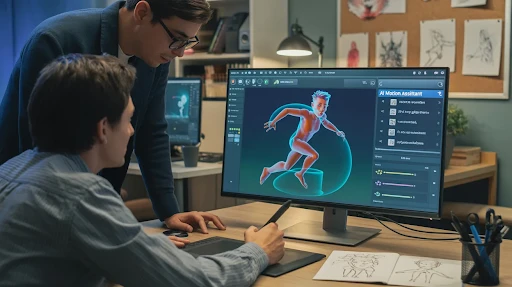
    AI-powered character animation can help teams test scenes more quickly.

    That is a real benefit. A brand can mock up a character, try a motion style, or see how a scene might play before spending time on full animation. For early concepts, this can save a lot of back-and-forth.

    But movement alone is not the same as performance.

    A character can wave, walk, smile, and still feel empty. The small choices matter. Timing. Pause. Expression. How the body reacts to the voiceover. How the scene breathes.

    That is why a 2D explainer video company still has a role. Good 2D animation is not just about making things move. It is about making the movement feel intentional.

    AI gets you closer to a rough idea. Direction makes it watchable.

    AI Voices Are Better, but Not Always Better Enough

    AI voice tools have improved fast. Voice synthesis can currently provide competent narration in a variety of tones, accents, and languages. This is great for drafts, internal explainers, and early testing. 

    It is also helpful when a team wants to hear a script before booking a voice actor.

    But voice is one of those details people feel more than they analyze. If the narration sounds a little flat, the whole video starts to feel cheaper. The viewer may not say, “That voice is synthetic.” They may just stop trusting the piece a bit.

    For low-stakes videos, an AI voice can work. For important customer-facing videos, a human voice still often feels warmer and more believable.

    Use the shortcut where it makes sense. Do not use it where trust matters most.

    Visual Matching Saves Time, but It Can Look Obvious

    Automated visual selection sounds great on paper. The tool reads the script and pulls visuals that match the words.

    For rough drafts, this is useful. It helps you see how a video might feel without building every frame from scratch.

    The problem is that AI often picks the most obvious option.

    Growth becomes an arrow.

    Teamwork becomes people in a meeting.

    Security becomes a lock icon.

    Innovation becomes blue glowing lines.

    You have seen these visuals before. So has everyone else.

    For simple videos, that may be fine. For more technical products, it usually is not enough. A 3D explainer video company may need to create custom scenes, product details, internal views, or spatial movement that a generic library cannot provide.

    AI can suggest a visual. It cannot always tell when the visual feels tired.

    Editing Is Probably the Most Practical AI Use

    This is where AI feels genuinely useful for busy teams.

    Real-time video editing tools can trim pauses, add captions, clean audio, resize clips, suggest cuts, and turn one longer video into multiple shorter versions.

    That saves time.

    A single explainer may serve as a sales clip, a product-page cut, a vertical social video, a short commercial, or an internal training snippet. That type of repurposing used to take a lot longer. 

    Still, editing is not just cutting things faster. A good editor knows what to leave in. Sometimes the pause matters. Sometimes the extra second makes the idea land. Sometimes, the cleanest cut is not the best cut.

    AI can make versions. A person has to choose the one that works.

    Generative AI Needs a Better Brief Than Most Teams Give It

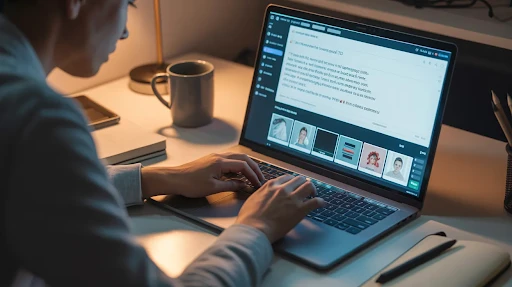
    A person giving a brief to a generative AI software

    Generative AI performs better when the brief is specific. That sounds obvious, but it is where many teams mess up.

    They write a vague prompt, get a vague result, and then complain that the tool feels generic.

    The tool is not reading your mind.

    A better brief should answer real questions:

    • Who is watching?
    • What do they already know?
    • What are they confused about?
    • What should they do after the video?
    • What tone should the video avoid?
    • What proof does the message need?

    For software brands, a SaaS explainer video company can use AI to test more versions, faster. But the product story still needs to be clear first. Otherwise, every draft will just be a slightly different version of the same unclear idea.

    The better the input, the less generic the output.

    AI Is Changing the Workflow, Not Removing the Work

    The old video process was usually slow and straightforward. Brief, script, storyboard, design, voiceover, animation, editing, revisions.

    AI is making production workflows more flexible.

    You can test three script angles before choosing one. You can hear draft voice-overs early. You can preview rough visuals before design starts. You can create cutdowns without rebuilding the whole project.

    That is a good thing.

    But a faster workflow does not remove decision-making. It makes decision-making more important. When everything moves quickly, weak ideas can spread quickly, too.

    Someone still needs to stop and say, “This does not sound like us,” or “This part is boring,” or “The buyer will not understand this.”

    That is not a tool problem. That is a judgment problem.

    Frequently Asked Questions

    AI explainer video creation means using AI tools to help write, design, voice, edit, or produce explainer videos faster.
    Yes, certain technologies can generate a rough, complete video from a prompt or script. Brand-ready work frequently requires human editing and creative supervision.
    Yes, particularly for drafts, internal movies, social media clips, rapid product updates, and early testing. Larger customer-facing films require adequate preparation.
    They can work on drafts and low-stakes content. For important customer-facing videos, a human voice often feels more natural and trustworthy.
    No. AI will change how teams work, but brands still need strategy, storytelling, design judgment, and quality control.

    Final Words

    AI explainer video creation is worth using when it helps teams move faster without making the message weaker. It can handle scripts, voice testing, graphic drafts, editing, captioning, and cutdowns. It may let companies test concepts before investing additional time and money. However, it is not a substitute for sound strategy, great writing, or creative judgment. 

    The best outcomes are achieved when AI performs the initial lift while humans refine the final message into something particular, informative, and worth viewing.

    Related Articles:

  • Stop Motion Ideas That Make Brand Videos Feel Less Ordinary

    Stop Motion Ideas That Make Brand Videos Feel Less Ordinary

    Good stop motion ideas do not need a giant set or a huge production budget. Sometimes, a bottle moving across a table, a folded paper bird, or a few pieces of fruit sliding into place can do more than a glossy video with too much polish. That is the charm of stop motion. It feels handled. You can sense the work behind it.

    For brands, that matters. A lot of video now looks clean, smooth, and almost too perfect. Stop motion has a different pull. It slows the viewer down for a second. It makes ordinary things feel like they have a little life in them.

    Why Stop Motion Ideas Still Work for Brands

    Stop motion is simple to understand. Move an object a little. Take a frame. Move it again. Take another frame. Play the frames together, and the object looks alive.

    Simple, yes. Quick, no.

    That slow process is part of why it has so much character. A tiny jump in movement or a small shadow shift can make the video feel handmade in a good way. 

    When an explainer video production company employs stop motion effectively, the aim is more than just creating something attractive. The movement should make the message seem clearer, warmer, or more memorable. 

    Here are ten useful directions brands can take.

    1. Everyday Object Stop Motion

    Everyday object stop motion is probably the easiest place to start.

    You take items people already know, like bottles, boxes, fabric, tools, stationery, or product packaging, and let them carry the story. A plastic bottle can become a thread. A messy desk can clean itself up. A product kit can be assembled piece by piece.

    This style is good for sustainability stories, retail products, office tools, packaging videos, and simple product explainers. It works because the viewer does not need to learn the visual language. They already know the objects. The video just gives those objects a job.

    2. Food Stop Motion

    Food stop motion has a built-in advantage: texture.

    Fruit, herbs, spices, sauces, candies, cereals, and beverages add color and movement before the animation begins. This approach allows a business to communicate about freshness, ingredients, flavor, or natural advantages without going into too much detail. 

    A lime wedge sliding into place or herbs gathering around a bottle can say “fresh” faster than a paragraph can.

    This can work well for food, wellness, beauty, cleaning, and supplement brands. If the message needs a little extra clarity, a 2D explainer video company can add simple labels or graphic callouts while keeping the handmade feel intact.

    3. Origami Stop Motion

    Origami stop motion feels quieter than most styles, which can be its strength.

    A flat sheet folds into a crane, a flower, a house, or some other symbol. The movement feels careful. Personal. Almost delicate. That makes it a good fit for education, healthcare, accessibility, nonprofits, and tech campaigns with a human story underneath.

    Origami also gives you a natural visual metaphor. Something flat becomes something shaped. A problem unfolds. A solution takes form. It is not loud, but it can stay with people.

    4. Hybrid Stop Motion

    Pure stop motion can be charming, but sometimes a business message needs more structure.

    That is where hybrid stop motion helps. You might have paper pieces moving on a table, while animated text, icons, or interface graphics appear around them. The physical pieces keep the video warm. The digital layer keeps the explanation clear.

    This works nicely for B2B brands, financial services, software, and process-heavy topics. A SaaS explainer video company could use this style to make a workflow feel less like another cold screen recording.

    The trick is not to overdo the digital parts. If the graphics take over, the stop motion loses the thing that made it interesting in the first place.

    5. Paper Cut-Out Animation

    Paper cut-out animation has a really useful middle ground. It feels crafted, but it can still be clean and organized.

    Paper can become people, maps, timelines, machines, buildings, products, or little scenes. You can tell a brand history, show how a product evolved, or explain a process without needing real footage from every moment.

    The texture matters here. Edges, shadows, folds, and layers give the video a physical quality. It feels designed, but not sterile. That is a nice space for brands that want something creative without going too artsy.

    6. Whiteboard Stop Motion

    Whiteboard stop motion is not fancy. That is kind of the point.

    A hand, a marker, and a board can explain a process very clearly. This style is useful for finance, training, onboarding, education, internal communication, and service explanations.

    The slight jumpiness between frames can make the lesson feel more human. It feels like someone is building the idea in front of you rather than handing you a finished slide.

    Use this when clarity matters more than visual drama. It is not the format for every brand story, but for step-by-step explanation, it can do the job well.

    7. Puppet Stop Motion

    Puppet stop motion works when the video needs character.

    A felt figure, clay character, toy model, or handmade puppet can carry emotion with the smallest movement. A head turn. A pause. A hand gesture. Those little things make the scene feel alive.

    This style is great for customer service topics, children’s brands, healthcare, small business stories, training clips, and light humor. Puppets let you talk about human situations without making the video feel too serious or too corporate.

    There is also something naturally watchable about physical characters. They have texture. They cast real shadows. They feel present.

    8. Painted Stop Motion

    Painted stop motion is one of the more expressive options.

    Instead of moving an object across the frame, the image itself changes. Paint appears. Lines grow. Color spreads. A scene slowly builds or breaks apart.

    This style is suitable for cultural advertising, art-driven companies, premium items, emotive storytelling, and creative studio work. It is not the quickest path, but it gives a video an appearance that is difficult to replicate. 

    The viewer is not only seeing the final image. They are seeing it happen. That visible making process is the whole appeal.

    9. 2D Stop Motion

    2D stop motion is good when the message needs structure but the brand still wants something with a handmade rhythm.

    Flat cards, icons, charts, cutout people, labels, packaging, and simple product pieces can move frame by frame. The final result can feel organized without looking like a normal presentation.

    This style works for service explainers, customer journeys, product benefits, and business processes. It is especially useful when you want the clarity of flat visuals but do not want the video to feel too smooth or generic.

    10. 3D Stop Motion

    3D stop motion is the better option when depth matters.

    Mini sets, wooden figures, product models, clay objects, and sculpted props can make a brand story feel more physical. If the product has shape, weight, texture, or movement, this style gives the viewer something more concrete to look at.

    A 3D explainer video company can take inspiration from this approach when a product needs dimensional detail but should not feel cold or overly digital.

    This is a strong fit for physical products, family-focused campaigns, toys, devices, equipment, and product worlds that need a tactile feel.

    Frequently Asked Questions

    Popular stop motion concepts include daily object animation, food movement, origami, paper cutouts, whiteboard drawings, puppets, painted sceneries, 2D layouts, and 3D models. 
    Yes. It can show product use, ingredients, packaging, transformation, and benefits in a way that feels more tactile than standard video.
    It depends on the style. Simple object or whiteboard stop motion can be more affordable. Puppet, painted, or model-heavy work usually takes more time.
    Yes. Stop motion can explain ideas well when the message benefits from step-by-step movement, visual metaphor, or a handmade look.
    Stop motion is created frame by frame with items, sketches, paper, models, or computer elements moved in small increments. This gives it a handcrafted, tangible quality. 

    Final Words

    The best stop motion ideas make a brand video feel more physical and more memorable. Everyday objects can show transformation. Food can show freshness. Origami can carry emotion. Paper cutouts can tell a brand story. 

    Whiteboard scenes can simplify a process. Puppets, painted images, 2D layouts, and 3D models each provide their distinct texture. The best option is determined by what the viewer needs to learn and the emotional impact the company wishes to leave.

    Related Articles:

  • Animated Product Videos That Make Products Easier to Understand

    Animated Product Videos That Make Products Easier to Understand

    Animated product videos help people see what a product does before they read a long description, compare features, or ask support the same basic questions. That matters because product pages are crowded. Customers skim. 

    They look at photos, scan a few bullets, and decide fast whether the product feels useful. A good animated video gives them the short version without making the experience feel like a sales manual.

    The best ones do not just show the product. They show the problem, the use, the result, and the reason someone should care.

    That is why brands use animation for physical products, digital tools, apps, financial products, health items, and household goods. When the idea needs more than a photo, animation gives the product room to explain itself.

    What Are Animated Product Videos?

    Animated product videos are short videos that use visuals, movement, characters, graphics, or 3D scenes to explain a product. Some are fun and character-led. Some are clean and technical. Some focus on a real product benefit. Others use story, humor, or a problem-solution setup to make the product easier to remember.

    You can think of them as product explainer videos built specifically around a product’s value. They may explain how it works, who it helps, what problem it solves, or why it is better than the old way of doing things.

    Unlike a traditional explainer video that may introduce a company or service, product-focused animation usually stays closer to the item itself. It gives the viewer a clearer mental picture of how the product fits into their life.

    That is also why an explainer video production company has to start with the product’s purpose, not just the style. Pretty animation is not enough. The viewer should leave knowing what the product does and why it matters.

    Why Animated Product Videos Work So Well

    The short answer is that animation can show things that live footage cannot always show easily.

    A cleaner dissolves invisible grime. A financial app changes how people manage money. A supplement brand needs to make health benefits feel approachable. A solar product may need both practical detail and visual polish. In each case, animation can simplify the message without making it boring.

    That is the real strength of animated product explainer videos. They turn product details into something easier to watch. They can zoom in, exaggerate, simplify, dramatize, or show invisible effects in a way that photos and basic copy often cannot.

    Good animated videos also give brands more control. You can control the mood, pace, color, characters, setting, and story without relying on expensive locations or perfect real-world conditions.

    The Main Explainer Video Styles for Products

    There are several explainer video styles brands can use for product videos. The right one depends on what the audience needs to understand.

    Whiteboard animation works well for educational products or simple explanations.

    Motion graphics are useful when the video needs a clean, modern feel with text, icons, and graphic movement.

    Character animation works well when the brand wants the product story to feel more human.

    A 2D animated explainer video can be a strong fit when the product benefit needs to feel clear, approachable, and easy to follow.

    3D animation works best when the product needs depth, realism, structure, or physical detail.

    There is no single best format for every product. The best choice is the one that makes the product easier to understand, not just the one that looks most expensive.

    5 Animated Product Videos Worth Learning From

    The reference list includes five strong examples: Oh Yuk, Get A Print, Addition Financial, Nature’s Dynamics, and Soleeva. Each one shows a different way to approach explainer videos for products without forcing every brand into the same visual formula.

    These are not just favorite explainer videos because they look nice. They each teach something useful about how product animation can work.

    1. Oh Yuk Shows How Animation Can Make a Simple Product More Fun

    Oh Yuk is a tub cleaner, which does not sound like the easiest product to make exciting.

    That is exactly why animation helps.

    A cleaning product often needs to show what people cannot see clearly: buildup, grime, hidden mess, and the relief of finally fixing it. A live-action product shot might show the bottle, the tub, and maybe someone using it. Animation can go further. It can turn the hidden problem into a visible one and make the effect feel more satisfying.

    This is where character-led animation works well. The video can show frustration, relief, and a cleaner result without making the topic feel unpleasant or dull.

    A 2D explainer video company might use this kind of approach when the product is simple, but the benefit needs more visual appeal. It is not about making the cleaner look realistic. It is about making the problem and solution easy to grasp.

    2. Get A Print Proves You Do Not Always Need a Voiceover

    Get A Print is a nice example because it steps away from the standard voiceover-led format.

    The product idea is simple: print photos from your phone and have them delivered. A lot of brands would explain that with narration and a few obvious scenes. This one works because it lets the visuals carry more of the story.

    That can be a smart choice when the product journey is already easy to follow. If people can understand the action from the visuals alone, the video does not need to over-explain. It can rely on pacing, character behavior, and clear visual steps.

    This is how an engaging explainer video avoids feeling like a lecture. It trusts the viewer a little. It does not spell out every tiny detail. It shows enough for the idea to click.

    For product brands, that restraint can be powerful.

    3. Addition Financial Uses Product Context in a Smarter Way

    https://vimeo.com/617397376?fl=pl&fe=sh

    Addition Financial is slightly different from the other examples because it focuses on an app and online experience. Still, it connects to products people use every day, like a phone, a credit card, or a personal finance tool.

    That makes it useful for brands that sell both digital convenience and real-world value.

    Financial products can become dry very quickly. People may understand the category, but they still need to see why the experience is easier, faster, or more useful. Animation helps by making the digital side feel less abstract.

    This is also where a SaaS explainer videos company can take notes, even outside finance. When the product lives on a screen, the video has to show more than interface shots. It needs to show how the product changes the user’s day.

    The best digital product videos do not just say the app is helpful. They show the moment where it becomes helpful.

    4. Nature’s Dynamics Makes the Product World Feel Bigger

    Nature’s Dynamics is a good reminder that product videos do not have to stay small.

    Gummy vitamins and probiotics could be shown in a simple product demo. But animation allows the brand to build a whole world around the product. That can make the video feel more memorable and more emotionally connected to the product benefit.

    This kind of approach works well when the brand wants to sell more than function. It wants to sell feeling, trust, energy, wellness, or imagination. Character animation, detailed backgrounds, and immersive transitions can help create that feeling.

    The lesson here is simple. If the product has a strong emotional or lifestyle angle, let the animation support that. Do not reduce the video to a list of ingredients and benefits.

    The product still needs clarity, of course. But it can also have charm.

    5. Soleeva Shows When 3D Is the Better Fit

    Soleeva is the example that shows why some products need more visual depth.

    Solar panels are physical, technical, and tied to real-world installation and performance. A flat illustration can explain the idea, but sometimes a more dimensional approach makes the product feel more concrete. That is where 3D earns its place.

    A 3D video showcases the shape, structure, surface, and presence of a product in a way 2D may not always capture. For solar panels, hardware, medical products, machines, devices, and anything with physical detail, that can be a major advantage.

    This is where a 3D explainer video company can help a brand show the product with more realism while still keeping the message controlled and easy to follow.

    The trick is not to use 3D just because it looks premium. Use it when depth, texture, and physical detail help the viewer understand the product better.

    Frequently Asked Questions

    Animated product videos are short videos that use animation to explain a product, show how it works, and make its benefits easier to understand.
    Yes. They can show invisible benefits, product use, before-and-after moments, and details that photos or live footage may not explain clearly.
    It depends on the product. 2D works well for simple and story-led products, while 3D is better for technical, physical, or detail-heavy products.
    Most product videos work best when they stay short and focused. The goal is to explain one clear product benefit without overloading the viewer.
    Yes, when the video explains the product clearly and removes buyer hesitation. A good product video helps people understand why the product is useful.

    Final Words

    Animated product videos work because they make products easier to see, understand, and remember. They can show hidden benefits, simplify product use, add personality, or make a technical item feel more approachable. The five examples above show that there is no one perfect format. Oh Yuk uses animation to make cleaning more visual. 

    Get A Print keeps the story simple. Addition Financial turns a digital experience into something practical. Nature’s Dynamics builds a more immersive product world. Soleeva shows how 3D can make a physical product feel real and clear.

    The right video style depends on what your product needs to explain.

    Related Articles:

  • History of Animation: Before Studios, Before Software, Before It All Felt Normal

    History of Animation: Before Studios, Before Software, Before It All Felt Normal

    The history of animation did not begin with famous mascots, giant studios, or glossy digital movies. It started in a much stranger place. People were trying to make still images move. That was the puzzle. Not branding. Not box office. Just motion. 

    If one drawing followed another, and another, and another, could the eye be fooled into seeing life where there was none? That question dragged the medium forward for years. So when people talk about animation as if it arrived fully formed, they skip the messy part. And the messy part is half the story.

    A lot of early animation history feels less like an industry and more like a string of visual experiments that somehow kept getting better.

    It Started With Tricks Before It Became Storytelling

    Before animation became what we think of now, it was mostly illusion.

    People built devices to fake movement long before modern film was doing much of anything useful. The magic lantern, the zoetrope, the phenakistiscope, the praxinoscope. None of these looked like the finished thing, but that is not the point. 

    What mattered was what they proved. You could take separate images, show them in sequence, and get the eye to believe something was moving.

    That was the real beginning of early animation.

    At that stage, nobody was trying to build layered emotional stories. It was not that polished yet. The goal was much simpler than that. Make a figure shift. Make an object bounce. Make a face change. Make an audience react. That alone was enough to keep people experimenting.

    And honestly, that is usually how new mediums start. First, as a novelty. Then, as a craft. Then, much later, as something bigger.

    So Who Created Animation?

    This is where people usually want one clean answer and get disappointed.

    If you ask who created animation, the truth is that no one person gets the whole credit. Too many people were involved too early, and each of them moved the medium forward in a different way. Animation did not appear on one specific day when somebody unlocked the full formula. It grew in pieces.

    Still, one name keeps coming back, and fairly so: Émile Cohl.

    His 1908 film Fantasmagorie is one of the names that always shows up when people talk about where modern animation really began to take form. Watch it now, and it still feels loose, odd, and unexpectedly alive. That matters. It does not move like a machine. It moves like somebody was thinking through the page.

    That is why Cohl still gets mentioned among the pioneers of animation. Not because he did everything first, but because he pushed the form somewhere meaningful.

    Why Fantasmagorie Still Gets Talked About

    Some old work survives only because it came first. This one survives because it still feels imaginative.

    It had a unique animation style that kept slipping from one image to the next, almost like the drawing was dreaming out loud. One shape became another. One moment melted into the next. It was not polished in the later studio sense, but that looseness is part of what made it memorable.

    The process behind it mattered too. The next drawings in the animation were traced from the ones before them, which helped create continuity between frames. That sounds small when you say it quickly, but it was not small. That kind of repetition and adjustment is where animation started becoming a real process rather than a visual stunt.

    That is why this part of the history of animation matters. You can see the medium learning how to flow instead of just flickering.

    Then Came Winsor McCay, and Things Got More Alive

    If Cohl showed what drawn movement could become, Winsor McCay helped show what an animated character could feel like.

    That is why Gertie the Dinosaur still matters.

    Gertie did not just move because movement was possible. She reacted. She hesitated. She seemed to have a mood. That is a big jump. Once animation starts feeling like performance instead of demonstration, the whole medium changes.

    McCay also helped combine animation and live action in ways that feel surprisingly bold when you look back at the time he was working in. That instinct never really went away. Animation kept brushing up against filmed performance over the decades, then later mixed with effects, digital compositing, and all kinds of hybrid formats.

    You can still feel the echo of that now. A modern explainer video production company might be working with completely different tools, but the instinct is familiar. Use whatever visual method helps the message land.

    Animation Was Handmade in the Hardest Possible Way

    This is the part modern audiences usually underestimate.

    A lot of the older work was punishingly manual. One frame, then the next, then the next. It is easy to say that now as a sentence. It is harder to sit with what it means as labor. Hours and hours of drawing for seconds of motion. Tiny adjustments. Repetition. Planning. Corrections. More planning.

    That is one reason people still talk about the artistry of traditional animation with a kind of respect that sounds almost protective. It was not only beautiful. It was demanding in a way that digital work rarely is now.

    And because it was so demanding, the work could not stay purely individual forever. Scale was going to force structure.

    The Animation Industry Had to Become a System

    The system of animation in Hollywood

    Once studios wanted bigger projects, the medium had to stop behaving like a solo endurance test.

    That is where the animation industry starts looking more like an industry and less like a cluster of brilliant overworked artists trying to survive frame by frame. Work had to be divided. Roles had to become clearer. People focused on layout, inking, timing, painting, camera work, and different stages of movement, rather than one person carrying everything.

    That shift changed what was possible.

    It also laid the groundwork for the longer production pipelines across the animation industry that later grew into digital systems. The software would come much later. The need for process showed up much earlier.

    That is one of the quiet truths in the story. Art got bigger by becoming more organized.

    Disney Changed the Scale of the Whole Thing

    It is hard to stay away from Disney in a blog about the history of animation, because this is the point where the medium stopped feeling small.

    Before that, animation had already proved it could be clever, entertaining, and visually inventive. Disney helped push it into something larger and more emotionally ambitious. Snow White and the Seven Dwarfs mattered not just because it existed, but because it made feature-length animation feel commercially and creatively serious.

    That changed expectations for everybody.

    This was a huge era of animation because the medium was no longer being judged only as a novelty or a short-form attraction. Audiences now expect character, atmosphere, emotion, and visual depth at a much bigger scale.

    And from there, the pressure only increased. Animation had to do more than move. It had to hold.

    Then CGI Opened Another Road

    The shift into CGI to animation workflows changed the visual language in a very obvious way. Space looked different. Camera movement felt different. Lighting, texture, and depth all started behaving in ways that hand-drawn work handled very differently.

    That mattered. A lot.

    But it is worth saying clearly that CGI did not make the earlier path irrelevant. It opened another one. That is really the better way to read it. Animation gained a new road instead of abandoning the map.

    You can still see the impact everywhere now. A 3D explainer video company depends on the possibilities that came out of that shift, especially when dealing with dimensional products, technical motion, spatial views, or rendered environments. But even there, the work still relies on clear movement and readable storytelling.

    New tools. Same pressure to make the viewer follow the idea.

    Why This Still Matters Now

    This is not only history-for-the-sake-of-history.

    It explains why animation is so flexible now. It also explains why it keeps turning up in places that have nothing to do with old theatrical shorts. Product demos. education. onboarding. brand storytelling. software walkthroughs. Digital marketing campaign videos. It all makes more sense when you realize the medium never stayed still for long.

    And that is probably the most useful thing the history of animation tells us. The form stayed alive because it kept changing without losing the basics underneath.

    Even a SaaS explainer video company working on a modern product today is still using the same broad promise that pulled the medium forward in the first place. Make motion carry meaning. Make the viewer understand faster. Make the still image stop feeling still.

    CGI Changed More Than the Look

    A lot of people reduce this era to visual realism. That is only part of it.

    The move into CGI to animation workflows also changed how teams worked. Different departments grew in importance. New technical roles appeared. Rendering became a major part of production. 

    Camera movement and lighting behaved differently. Characters were no longer drawn frame by frame in the old sense. They were built, rigged, posed, and animated inside a different system.

    That changed the pacing of production.

    It also changed the structure of collaboration. Bigger digital films depended on larger and more specialized pipelines. That is where the old studio logic evolved into even more complex production pipelines across the animation industry. The work still needed artists, obviously. It just needed them in a different arrangement.

    And the funny thing is, even with all that change, the basic pressure stayed the same. The audience still had to believe the movement. The image still had to hold attention. The story still had to carry the weight.

    Modern 2D Came Back With a Different Confidence

    An example of modern 2D animation

    For a while, it felt like computer-generated 3D was the future and everything else would slowly become niche.

    That never fully happened.

    Modern 2D came back hard, but not in a nostalgic way. It came back sharper, bolder, and more self-aware. Some of it kept the spirit of hand-drawn work. Some of it used digital tools to imitate older energy while moving much faster in production. Some of it mixed flatter illustration with richer depth cues and more stylized motion.

    That return matters because it reminded the animation industry of something important. Audiences do not only respond to realism. They respond to style. They respond to intention. They respond to images that feel like somebody made a choice.

    That is one reason a modern 2D explainer video company can still do such strong work in a market full of digital options. Flat does not mean outdated. If the design is smart and the motion is right, 2D can still feel more distinctive than a lot of polished 3D.

    Hybrid Workflows Became More Interesting Than the Old Arguments

    For years, people liked turning animation into a debate.

    2D or 3D. Hand-drawn or digital. Traditional or modern. That kind of thing.

    Real projects do not always care about those categories as much as people talking about them do.

    A lot of current work lives in the overlap. Some films use digital tools to mimic the looseness of drawn work. Some commercials blend flat design with dimensional lighting. Some projects bring live action into the frame. Some move between graphic systems on purpose. That is where the more interesting stuff often happens now.

    This is why mixed media animation examples have become such a useful point of reference. They show that modern animation does not have to obey one visual rule from start to finish. It can shift. It can borrow. It can mix techniques without feeling confused, as long as the choices make sense together.

    That flexibility is part of the reason animation stays so adaptable across industries.

    Frequently Asked Questions

    There is no single person who created the entire medium. A lot of people contributed to it over time. Émile Cohl is often mentioned because of Fantasmagorie, but the story is bigger than one name.
    Early animation usually refers to the first motion experiments, optical devices, and hand-drawn films that appeared before the medium became a large studio-driven industry.
    Disney helped prove animation could carry full-length stories at a much larger scale. That changed how audiences and studios saw the medium.
    Not really. It changed the tools and the workflow, but the core ideas behind movement, timing, and storytelling still matter across both forms.
    Because modern animation, branding, product videos, and digital storytelling all build on the techniques, decisions, and visual thinking that came before.

    Final Words

    The history of animation is really a story about restlessness. The medium never sat still for long. It moved from optical tricks to drawn films, from hand-made labor to studio systems, from paper workflows to digital production, from theatrical storytelling to branded and everyday communication. Every phase added something. 

    Nothing arrived fully finished. That is what makes history so interesting. Animation kept changing because people kept finding new ways to make motion mean more. And that is still true now.

    Related Articles: