Category: Tech Video

  • AI Explainer Video Creation: Useful Tool or Shortcut Trap?

    AI Explainer Video Creation: Useful Tool or Shortcut Trap?

    AI explainer video creation is beneficial, but only if businesses stop considering it as a magic button. It allows you to draft quicker, test ideas sooner, generate preliminary images, experiment with voice-overs, and trim films into smaller versions without slowing down the entire team. That’s actually useful. 

    But here is the catch. AI can produce a video-looking thing pretty quickly. That does not mean the message is good. It does not mean the buyer cares. It does not mean the story is clear.

    That is where brands still need a brain behind the tool.

    What AI Explainer Video Creation Really Means

    AI explainer video creation means using AI tools to help make parts of an explainer video. Sometimes that means writing a rough script. Sometimes it means building a storyboard, matching visuals, creating a draft voiceover, adding captions, editing clips, or turning one video into several shorter cuts.

    It does not always mean the whole video is made by AI from beginning to end.

    That is the better way to think about it. AI is not always the creator. Often, it is the assistant sitting next to the creator.

    A good explainer video production company can use these tools to move faster, but the real job stays the same. Make the message clear. Keep the viewer interested. Say something the buyer actually needs to hear.

    AI can speed up the work. It cannot decide the strategy for you.

    Why Brands Are Using AI in Video Now

    The pressure is simple. Teams need more video than before.

    A product update needs a quick walkthrough. Sales wants a shorter clip for follow-up emails. Marketing needs a homepage video, then a social cut, then a vertical version, then a paid ad. Internal teams want training content. SaaS teams need onboarding videos after every major feature release.

    That is a lot.

    This is why AI video production is getting attention. It helps teams get a first version faster. Not perfect. Not always ready to publish. But enough to react to.

    That matters because the blank page is often the slowest part of any video project.

    The danger is obvious, too. If it becomes easy to make more videos, teams may start making more forgettable videos. Speed is only useful when the idea is still strong.

    Scripts Can Start With AI, but They Need Editing

    Automated script generation is one of the most useful parts of the whole thing.

    You can paste in a product description, a messy brief, or a landing page, and the tool will give you a script outline. That is helpful. It gives the team something to argue with, fix, cut, and improve.

    But most AI-generated video scripts have the same problem. They sound fine at first glance. Then you read them again and realize they could belong to almost any company.

    Too clean. Too safe. Too general.

    A proper explainer script needs more friction than that. It should know the customer’s problem. It should start faster. It should avoid lines that sound nice but say nothing. It should feel like someone actually understands the product and the person watching.

    AI can give you a draft. A writer still has to make it sharper.

    Character Animation Is Easier to Test Now

    Animators working on character animation (1)

    AI-powered character animation can help teams test scenes more quickly.

    That is a real benefit. A brand can mock up a character, try a motion style, or see how a scene might play before spending time on full animation. For early concepts, this can save a lot of back-and-forth.

    But movement alone is not the same as performance.

    A character can wave, walk, smile, and still feel empty. The small choices matter. Timing. Pause. Expression. How the body reacts to the voiceover. How the scene breathes.

    That is why a 2D explainer video company still has a role. Good 2D animation is not just about making things move. It is about making the movement feel intentional.

    AI gets you closer to a rough idea. Direction makes it watchable.

    AI Voices Are Better, but Not Always Better Enough

    AI voice tools have improved fast. Voice synthesis can currently provide competent narration in a variety of tones, accents, and languages. This is great for drafts, internal explainers, and early testing. 

    It is also helpful when a team wants to hear a script before booking a voice actor.

    But voice is one of those details people feel more than they analyze. If the narration sounds a little flat, the whole video starts to feel cheaper. The viewer may not say, “That voice is synthetic.” They may just stop trusting the piece a bit.

    For low-stakes videos, an AI voice can work. For important customer-facing videos, a human voice still often feels warmer and more believable.

    Use the shortcut where it makes sense. Do not use it where trust matters most.

    Visual Matching Saves Time, but It Can Look Obvious

    Automated visual selection sounds great on paper. The tool reads the script and pulls visuals that match the words.

    For rough drafts, this is useful. It helps you see how a video might feel without building every frame from scratch.

    The problem is that AI often picks the most obvious option.

    Growth becomes an arrow.

    Teamwork becomes people in a meeting.

    Security becomes a lock icon.

    Innovation becomes blue glowing lines.

    You have seen these visuals before. So has everyone else.

    For simple videos, that may be fine. For more technical products, it usually is not enough. A 3D explainer video company may need to create custom scenes, product details, internal views, or spatial movement that a generic library cannot provide.

    AI can suggest a visual. It cannot always tell when the visual feels tired.

    Editing Is Probably the Most Practical AI Use

    This is where AI feels genuinely useful for busy teams.

    Real-time video editing tools can trim pauses, add captions, clean audio, resize clips, suggest cuts, and turn one longer video into multiple shorter versions.

    That saves time.

    A single explainer may serve as a sales clip, a product-page cut, a vertical social video, a short commercial, or an internal training snippet. That type of repurposing used to take a lot longer. 

    Still, editing is not just cutting things faster. A good editor knows what to leave in. Sometimes the pause matters. Sometimes the extra second makes the idea land. Sometimes, the cleanest cut is not the best cut.

    AI can make versions. A person has to choose the one that works.

    Generative AI Needs a Better Brief Than Most Teams Give It

    A person giving a brief to a generative AI software (1)

    Generative AI performs better when the brief is specific. That sounds obvious, but it is where many teams mess up.

    They write a vague prompt, get a vague result, and then complain that the tool feels generic.

    The tool is not reading your mind.

    A better brief should answer real questions:

    • Who is watching?
    • What do they already know?
    • What are they confused about?
    • What should they do after the video?
    • What tone should the video avoid?
    • What proof does the message need?

    For software brands, a SaaS explainer video company can use AI to test more versions, faster. But the product story still needs to be clear first. Otherwise, every draft will just be a slightly different version of the same unclear idea.

    The better the input, the less generic the output.

    AI Is Changing the Workflow, Not Removing the Work

    The old video process was usually slow and straightforward. Brief, script, storyboard, design, voiceover, animation, editing, revisions.

    AI is making production workflows more flexible.

    You can test three script angles before choosing one. You can hear draft voice-overs early. You can preview rough visuals before design starts. You can create cutdowns without rebuilding the whole project.

    That is a good thing.

    But a faster workflow does not remove decision-making. It makes decision-making more important. When everything moves quickly, weak ideas can spread quickly, too.

    Someone still needs to stop and say, “This does not sound like us,” or “This part is boring,” or “The buyer will not understand this.”

    That is not a tool problem. That is a judgment problem.

    Frequently Asked Questions

    What Is AI Explainer Video Creation?

    AI explainer video creation means using AI tools to help write, design, voice, edit, or produce explainer videos faster.

    Can AI Make a Complete Explainer Video?

    Yes, certain technologies can generate a rough, complete video from a prompt or script. Brand-ready work frequently requires human editing and creative supervision.

    Is AI Video Production Good for Businesses?

    Yes, particularly for drafts, internal movies, social media clips, rapid product updates, and early testing. Larger customer-facing films require adequate preparation. 

    Are AI Voiceovers Good Enough?

    They can work on drafts and low-stakes content. For important customer-facing videos, a human voice often feels more natural and trustworthy.

    Will AI Replace Explainer Video Teams?

    No. AI will change how teams work, but brands still need strategy, storytelling, design judgment, and quality control.

    Final Words

    AI explainer video creation is worth using when it helps teams move faster without making the message weaker. It can handle scripts, voice testing, graphic drafts, editing, captioning, and cutdowns. It may let companies test concepts before investing additional time and money. However, it is not a substitute for sound strategy, great writing, or creative judgment. 

    The best outcomes are achieved when AI performs the initial lift while humans refine the final message into something particular, informative, and worth viewing.

    Related Articles:
  • Animated Product Videos That Make Products Easier to Understand

    Animated Product Videos That Make Products Easier to Understand

    Animated product videos help people see what a product does before they read a long description, compare features, or ask support the same basic questions. That matters because product pages are crowded. Customers skim. 

    They look at photos, scan a few bullets, and decide fast whether the product feels useful. A good animated video gives them the short version without making the experience feel like a sales manual.

    The best ones do not just show the product. They show the problem, the use, the result, and the reason someone should care.

    That is why brands use animation for physical products, digital tools, apps, financial products, health items, and household goods. When the idea needs more than a photo, animation gives the product room to explain itself.

    What Are Animated Product Videos?

    Animated product videos are short videos that use visuals, movement, characters, graphics, or 3D scenes to explain a product. Some are fun and character-led. Some are clean and technical. Some focus on a real product benefit. Others use story, humor, or a problem-solution setup to make the product easier to remember.

    You can think of them as product explainer videos built specifically around a product’s value. They may explain how it works, who it helps, what problem it solves, or why it is better than the old way of doing things.

    Unlike a traditional explainer video that may introduce a company or service, product-focused animation usually stays closer to the item itself. It gives the viewer a clearer mental picture of how the product fits into their life.

    That is also why an explainer video production company has to start with the product’s purpose, not just the style. Pretty animation is not enough. The viewer should leave knowing what the product does and why it matters.

    Why Animated Product Videos Work So Well

    The short answer is that animation can show things that live footage cannot always show easily.

    A cleaner dissolves invisible grime. A financial app changes how people manage money. A supplement brand needs to make health benefits feel approachable. A solar product may need both practical detail and visual polish. In each case, animation can simplify the message without making it boring.

    That is the real strength of animated product explainer videos. They turn product details into something easier to watch. They can zoom in, exaggerate, simplify, dramatize, or show invisible effects in a way that photos and basic copy often cannot.

    Good animated videos also give brands more control. You can control the mood, pace, color, characters, setting, and story without relying on expensive locations or perfect real-world conditions.

    The Main Explainer Video Styles for Products

    There are several explainer video styles brands can use for product videos. The right one depends on what the audience needs to understand.

    Whiteboard animation works well for educational products or simple explanations.

    Motion graphics are useful when the video needs a clean, modern feel with text, icons, and graphic movement.

    Character animation works well when the brand wants the product story to feel more human.

    A 2D animated explainer video can be a strong fit when the product benefit needs to feel clear, approachable, and easy to follow.

    3D animation works best when the product needs depth, realism, structure, or physical detail.

    There is no single best format for every product. The best choice is the one that makes the product easier to understand, not just the one that looks most expensive.

    5 Animated Product Videos Worth Learning From

    The reference list includes five strong examples: Oh Yuk, Get A Print, Addition Financial, Nature’s Dynamics, and Soleeva. Each one shows a different way to approach explainer videos for products without forcing every brand into the same visual formula.

    These are not just favorite explainer videos because they look nice. They each teach something useful about how product animation can work.

    1. Oh Yuk Shows How Animation Can Make a Simple Product More Fun

    Oh Yuk is a tub cleaner, which does not sound like the easiest product to make exciting.

    That is exactly why animation helps.

    A cleaning product often needs to show what people cannot see clearly: buildup, grime, hidden mess, and the relief of finally fixing it. A live-action product shot might show the bottle, the tub, and maybe someone using it. Animation can go further. It can turn the hidden problem into a visible one and make the effect feel more satisfying.

    This is where character-led animation works well. The video can show frustration, relief, and a cleaner result without making the topic feel unpleasant or dull.

    A 2D explainer video company might use this kind of approach when the product is simple, but the benefit needs more visual appeal. It is not about making the cleaner look realistic. It is about making the problem and solution easy to grasp.

    2. Get A Print Proves You Do Not Always Need a Voiceover

    Get A Print is a nice example because it steps away from the standard voiceover-led format.

    The product idea is simple: print photos from your phone and have them delivered. A lot of brands would explain that with narration and a few obvious scenes. This one works because it lets the visuals carry more of the story.

    That can be a smart choice when the product journey is already easy to follow. If people can understand the action from the visuals alone, the video does not need to over-explain. It can rely on pacing, character behavior, and clear visual steps.

    This is how an engaging explainer video avoids feeling like a lecture. It trusts the viewer a little. It does not spell out every tiny detail. It shows enough for the idea to click.

    For product brands, that restraint can be powerful.

    3. Addition Financial Uses Product Context in a Smarter Way

    https://vimeo.com/617397376?fl=pl&fe=sh

    Addition Financial is slightly different from the other examples because it focuses on an app and online experience. Still, it connects to products people use every day, like a phone, a credit card, or a personal finance tool.

    That makes it useful for brands that sell both digital convenience and real-world value.

    Financial products can become dry very quickly. People may understand the category, but they still need to see why the experience is easier, faster, or more useful. Animation helps by making the digital side feel less abstract.

    This is also where a SaaS explainer videos company can take notes, even outside finance. When the product lives on a screen, the video has to show more than interface shots. It needs to show how the product changes the user’s day.

    The best digital product videos do not just say the app is helpful. They show the moment where it becomes helpful.

    4. Nature’s Dynamics Makes the Product World Feel Bigger

    Nature’s Dynamics is a good reminder that product videos do not have to stay small.

    Gummy vitamins and probiotics could be shown in a simple product demo. But animation allows the brand to build a whole world around the product. That can make the video feel more memorable and more emotionally connected to the product benefit.

    This kind of approach works well when the brand wants to sell more than function. It wants to sell feeling, trust, energy, wellness, or imagination. Character animation, detailed backgrounds, and immersive transitions can help create that feeling.

    The lesson here is simple. If the product has a strong emotional or lifestyle angle, let the animation support that. Do not reduce the video to a list of ingredients and benefits.

    The product still needs clarity, of course. But it can also have charm.

    5. Soleeva Shows When 3D Is the Better Fit

    Soleeva is the example that shows why some products need more visual depth.

    Solar panels are physical, technical, and tied to real-world installation and performance. A flat illustration can explain the idea, but sometimes a more dimensional approach makes the product feel more concrete. That is where 3D earns its place.

    A 3D video showcases the shape, structure, surface, and presence of a product in a way 2D may not always capture. For solar panels, hardware, medical products, machines, devices, and anything with physical detail, that can be a major advantage.

    This is where a 3D explainer video company can help a brand show the product with more realism while still keeping the message controlled and easy to follow.

    The trick is not to use 3D just because it looks premium. Use it when depth, texture, and physical detail help the viewer understand the product better.

    Frequently Asked Questions

    [dynamic_faq]

    Final Words

    Animated product videos work because they make products easier to see, understand, and remember. They can show hidden benefits, simplify product use, add personality, or make a technical item feel more approachable. The five examples above show that there is no one perfect format. Oh Yuk uses animation to make cleaning more visual. 

    Get A Print keeps the story simple. Addition Financial turns a digital experience into something practical. Nature’s Dynamics builds a more immersive product world. Soleeva shows how 3D can make a physical product feel real and clear.

    The right video style depends on what your product needs to explain.

    Related Articles:

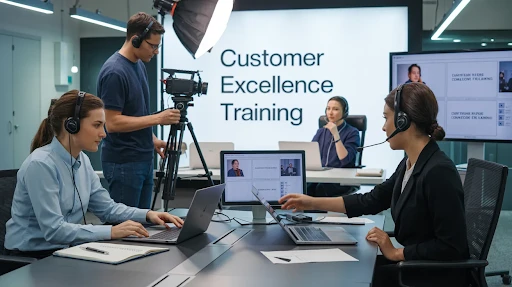
  • 10 Customer Service Training Videos Worth Learning From

    10 Customer Service Training Videos Worth Learning From

    Customer service training videos can do something most handbooks, slide decks, and policy documents struggle to do. They show people what good service actually looks like. That matters because service is not only about rules. 

    It is about tone, judgment, timing, patience, and how someone handles pressure in a real moment. If your team only gets theory, they usually have to guess the rest. Video fills that gap.

    That is why the importance of customer service training videos goes beyond simple onboarding. A strong training video can make expectations clearer, help people remember the lesson, and give your team something more concrete than a list of instructions.

    The best examples usually do one of three things well. They make the lesson easy to follow, they make it memorable, or they make people actually want to pay attention.

    Why Video Works Better for Service Training Than Most Teams Expect

    Customer service is not just a script. It is behavior.

    That is why video works so well here. A good training clip lets people see the difference between saying the right words and handling a situation the right way. It can show body language, pace, tone shifts, mistakes, recovery, and the little choices that shape how a customer feels.

    This matters because a customer service team deals with real people, not perfect situations. They run into frustration, confusion, silence, hesitation, repeated questions, and messy conversations that do not fit neatly into a support manual. Video is useful because it can bring those moments to life without making the lesson feel heavy.

    A strong explainer video company would usually understand this straight away. The goal is not just to package information nicely. It is to make the lesson stick.

    What Makes a Service Training Video Actually Useful

    A lot of training content is technically correct and still forgettable.

    The better videos tend to share a few strengths:

    • They focus on real workplace tension
    • They keep the lesson narrow enough to follow
    • They avoid overexplaining
    • They show a clear takeaway
    • They feel watchable instead of like a chore

    That is especially important when the training covers common customer interactions. If the situation feels fake, the team can tell. If it feels too polished or too generic, the lesson tends to slide right by. But when the setup feels familiar, people start paying closer attention because they can see themselves in it.

    That is one reason the best customer service training videos often lean on story, contrast, or humor. They know people remember examples more easily than instructions.

    10. Customer Experience Matters by Temkin Group

    This is a good example of how a simple idea can still land well.

    The video does not need huge production tricks to work. What helps is the clarity. The lesson is tight, the pacing is clean, and the visuals help the point feel more immediate. That is often enough. A lot of training videos fail because they try to cover too much. This one keeps the focus where it belongs.

    It also shows that customer care videos do not need to be overloaded to be effective. If the message is clear and the visuals support it properly, even a relatively simple setup can hold attention longer than a more expensive but less focused piece.

    9. TEDx and the Power of a Service Story

    TED-style talks can be useful in training because they often bring a real story into the lesson instead of only delivering advice.

    That matters. People remember stories better than bullet points.

    In this example, the value comes from the specificity of the moment. The service experience is described in a way that makes the takeaway easier to picture. It does not feel like abstract advice. It feels like something that happened, which makes it easier for a team to pull useful behavior from it later.

    This is one reason an example of great customer service videos does not always have to be animated or heavily produced. Sometimes the power comes from one strong, believable story told well.

    8. Zendesk Keeps the Lesson Watchable

    Zendesk is a strong example because it understands something a lot of training content misses. People tune out when the material feels like medicine.

    That is why humor matters here.

    The point is not to make service training silly for the sake of it. The point is to keep attention long enough for the lesson to land. Zendesk’s approach works because it makes the situations feel a little more human and less like a lecture. That makes the training easier to watch and easier to remember.

    This is also where businesses can learn something broader. Customer service skill videos do not have to sound dry to feel useful. In fact, the opposite is often true. If the delivery feels too stiff, the team tends to mentally check out before the point arrives.

    7. Ritz-Carlton Still Shows Why Standards Matter

    This kind of example works because it points to something bigger than one interaction. It shows what happens when service standards are built into the culture instead of being treated like a surface-level policy.

    That is a different level of lesson.

    A lot of service problems do not come from bad intent. They come from weak expectations, uneven coaching, or teams not knowing what “great service” actually looks like in practice. Videos like this help because they connect the day-to-day interaction to the larger standard behind it.

    That is one reason customer service training should not only teach people how to respond in one moment. It should also show them what the company expects service to feel like across many moments.

    6. WACTEO by ServiceSkills Turns the Lens Inward

    This is one of the more useful examples in the list because it changes the frame.

    A lot of service training focuses only on the end customer. That makes sense up to a point. But internal behavior affects service too. If employees treat each other badly, operate in silos, or pass problems around carelessly, that eventually shows up in the customer experience.

    That is where this example stands out. It pushes the idea that service quality is not only external. It starts inside the team.

    For businesses building internal training, that is a smart angle to keep. Some of the most useful customer service training video examples are the ones that show how culture and behavior inside the company shape what customers experience outside it.

    5. HubSpot’s Skill-Focused Format Gets Right to the Point

    This kind of example is effective because it does not wander.

    It focuses on essential support skills, keeps the lesson moving, and uses clean visuals to reinforce the point. That makes it easier for teams to absorb one skill at a time instead of getting hit with a broad “be better at service” message.

    This is also the kind of structure that works well for micro-learning. One skill. One scenario. One takeaway.

    That is often a better fit for busy support environments than long training blocks. It helps people revisit one idea quickly without needing to sit through a huge module again. For growing teams, especially those already using strong digital learning habits, this kind of focused format can be much easier to roll out.

    It is also where style choices matter. Some brands may use 2D explainer video services in this kind of training because the format keeps the message structured and easy to scale without making the lesson feel flat.

    4. Empathy vs. Sympathy Makes a Soft Skill Easier to Grasp

    Soft skills are harder to teach than process steps.

    That is why this example matters so much.

    A team can be told to “show empathy” all day long, but that instruction is still vague until someone shows the difference. That is what this video does well. It breaks down a subtle emotional distinction in a way that feels clear instead of academic.

    And that is often where service training succeeds or fails. The technical side may be easy enough to explain. The human side is where teams need better examples.

    This is also why some businesses use visual formats that feel a little more crafted for softer topics. In the right context, 3D explainer video services or other stylized approaches can help a message feel more emotionally readable, though the structure still matters more than the visual finish alone.

    3. Slack Shows That Internal Tools Affect Service Quality Too

    Not every training video has to focus on tone, empathy, or customer-facing behavior.

    Some of the most useful ones show how the team can work better behind the scenes.

    That is why Slack is a smart example to include. It reminds people that customer service is not only about what one employee says in one conversation. It is also about systems, collaboration, handoffs, and response speed. If the internal setup is clumsy, the customer feels it sooner or later.

    This is where customer service demos can be especially useful. Instead of only teaching attitude, they show how tools and workflows support the job. That kind of training is practical because it helps the team understand not just how to respond, but how to work more smoothly while doing it.

    For some businesses, especially support-heavy platforms, this is also where SaaS explainer video services can overlap with training. A software workflow video can double as a teaching asset if it is built clearly enough.

    2. “What Is Customer Experience?” Makes an Abstract Idea Easier to Hold Onto

    This kind of training is useful because “customer experience” is one of those terms everyone uses, but not everyone defines well.

    That becomes a problem fast.

    If the team keeps hearing that customer experience matters but never sees it explained clearly, the phrase starts losing meaning. A video like this helps because it gives the concept shape. It turns a broad business phrase into something people can actually connect to daily work.

    That is one reason visual training works so well with abstract service topics. It gives the team something more concrete to remember than a loose definition in a handbook.

    This is also where businesses that already use commercial advertising can learn something useful. If you are spending to bring people in but not training your team to create a better experience once they arrive, you are making growth harder than it needs to be.

    1. NHA PersonAbility Shows How Storytelling Makes Training More Memorable

    This is one of the strongest examples because it uses scenario-based storytelling to show both good and bad behavior clearly.

    That contrast matters.

    A lot of training content tells people what to do. Story-based training lets them watch what happens when people do it badly and when they do it well. That is usually more effective because it feels closer to real life. The team can picture the moment, the mistake, and the better response much more easily.

    This approach is especially strong in healthcare, support, education, and other people-first environments where the emotional side of service matters just as much as the technical side.

    It also connects well with the logic behind tech explainer videos. Different topic, same principle. People understand faster when the explanation is built around a situation they can follow instead of a pile of abstract advice.

    Frequently Asked Questions

    [dynamic_faq]

    Final Words

    Customer service training videos work because they show behavior, not just advice. That is what makes them more useful than a list of service rules or a static training document. The best examples on this list do not all look the same, but they all make the lesson easier to understand and easier to remember. Some use humor. 

    Some use storytelling. Some keep things very simple. What matters is that they help the team see what good service looks like in action, and that is what makes the training stick.

    Related Articles:

  • Tech Explainer Videos for Products People Need to Understand Fast

    Tech Explainer Videos for Products People Need to Understand Fast

    Tech explainer videos work best when they do one thing clearly: make a complicated product feel understandable before the viewer loses interest. That matters because tech buyers usually are not short on options. They are short on patience. 

    If your product takes too much effort to understand, people move on. A good video helps by compressing the message into something faster, clearer, and easier to follow.

    A lot of tech brands still treat video like a finishing touch. Something to add once the homepage is written, the product page is live, and the sales deck is done. That is usually the wrong order. In tech, the explainer is often the first real bridge between what the company built and what the audience can actually grasp.

    Why Tech Products Need More Than Good Copy

    Most tech teams are too close to their own product. They know the workflow, the edge cases, the setup logic, the integrations, and the jargon. So when they explain it, they often explain from the inside out.

    Buyers do not think that way.

    They want the outside-in version first. What is this? What problem does it solve? Why would I care? What changes once I use it?

    That is one reason tech companies need explainer videos more than they sometimes realize. A strong explainer does not replace documentation, demos, product pages, or sales calls. It gets the viewer far enough that those things can actually work.

    This problem shows up across the board. Software tools. cloud platforms. AI products. cybersecurity services. developer tools. infrastructure products. They all get harder to explain the moment the company tries to say everything at once.

    What Makes a Tech Explainer Different

    A tech explainer is not there to sound impressive.

    That is where a lot of them go off track.

    Plenty of business videos sound polished but still leave the viewer with the same question they had at the start. What does this actually do? A tech explainer has to reduce that confusion. It has to shorten the distance between “this sounds complicated” and “okay, now I get it.”

    That is why storytelling in tech explainer videos matters. Not because every brand needs some emotional cinematic arc. It matters because viewers need a simple frame. A problem. A broken workflow. A pain point. A before-and-after. Something they can follow without doing all the work themselves.

    That is also where a strong explainer video company actually proves its value. Not by making the product sound bigger. By deciding what needs to land first and what can wait.

    Animated or Live-Action Is the Wrong First Question

    A lot of teams jump straight into the format.

    Should it be animated or live-action? Should it look sleek? Should it feel futuristic? Should it be cinematic?

    Those are not useless questions. They are just early.

    The better question is this: what is actually hard to explain here?

    If the problem is abstraction, animation probably helps. If the product is physical or trust-heavy, live action may help more. If the interface itself is the product, screen-led content might be the better route. But the format only makes sense once the communication problem is clear.

    That is why it helps to understand the broader types of explainer videos before choosing style references. The format should follow the job. Otherwise, you end up with a nice-looking video that still leaves the audience doing mental labor.

    Where Tech Explainers Help

    The homepage is the obvious place, sure. But that is only one use.

    A good explainer can support:

    • Landing pages
    • Demo requests
    • Investor conversations
    • Outbound sales follow-up
    • Product launches
    • Feature education
    • Onboarding
    • Product pages

    This is also why more brands now incorporate explainer videos into multiple stages of the funnel instead of treating one video like the whole strategy. One broader overview can introduce the product. A second video can support feature understanding. A third can reduce friction after signup. That usually works better than forcing one asset to carry the entire product story.

    Product Explainers and Process Explainers Are Not the Same

    These two get mixed up constantly.

    Product explainer videos focus on what the product is, how it helps, and why someone should care. They sit closer to marketing and conversion. Their job is to make the offer feel understandable.

    Process explainer videos do something different. They show how a workflow operates, how information moves, how a setup happens, or how a system behaves behind the scenes. These are useful when the mechanism itself is part of the value.

    The mistake is combining both too early.

    If the buyer still does not understand the core product value, a process-heavy video can bury them fast. If they already understand the value and want confidence in how the product works, the process video becomes far more useful.

    That is why a well-crafted tech explainer video usually chooses its lane. It does not try to be the homepage pitch, the workflow guide, the feature walkthrough, and the onboarding asset all at once.

    Why SaaS Brands Lean on Explainers So Hard

    SaaS-related explainer videos

    Software products are easy to oversell and easy to undersell at the same time.

    A site says the platform is flexible, powerful, scalable, and built to streamline operations. Fine. But what does that actually mean for the person using it? What changes in their day? What gets easier? What gets less frustrating?

    That is why SaaS explainer videos work when they stay disciplined. They do not throw the whole dashboard at the viewer. They narrow the point. They show the friction. Then they show the shift.

    A lot of brands looking for Saas explainer video services are really trying to solve that translation problem. They are not struggling to build features. They are struggling to explain value in a way that feels quick, believable, and easy to absorb.

    Trust Matters More Than Some Tech Teams Think

    Tech buyers are not only evaluating features. They are evaluating risk.

    Will this tool be annoying to adopt?

    Will my team actually use it?

    Is implementation going to be messy?

    Does this company know how to explain itself clearly?

    Am I buying into something useful or just something dressed up well?

    That is where the benefits of tech explainer videos go past engagement. A good explainer can lower uncertainty. It can show that the company understands the buyer’s problem and respects the buyer’s time.

    People notice when a company cannot explain its own product cleanly. They may not say it out loud. They just hesitate.

    The First Video Should Not Try to Do Everything

    This is where a lot of projects start getting bloated.

    The team wants the first video to explain the whole platform, all the user types, the feature stack, the integrations, the product story, and the brand at the same time. That is how something promising turns into something crowded.

    A better first video is narrower.

    One product.

    One pain point.

    One major shift.

    One next step.

    That matters especially before you move into onboarding explainer videos or deeper educational content. If the buyer still does not understand the core offer, they are not ready for a guided setup sequence yet.

    Style Matters, but Only After the Message Is Clear

    This is where teams often get distracted.

    They debate whether the video should feel premium, minimal, bold, or futuristic before they have agreed on the explanation itself. That is backward. The stronger move is to figure out what the viewer is struggling to grasp, then choose the format that clears that up with the least friction.

    A lot of the time, 2D explainer video services make the most sense for tech because they keep the message flexible. They are good at simplifying workflows, abstract products, interfaces, and category education without making the piece feel too heavy.

    Then there are situations where 3D explainer video services really earn their place. Hardware. layered systems. products with interiors or physical components. anything where depth and structure are part of the explanation. That is when the extra detail is doing real work.

    The audience does not care which style sounded fancier in the planning meeting. They care whether the product finally makes sense.

    Live Action Has a Place Too

    An example of live-action explainer video

    Tech brands lean heavily on animation, and sometimes that is right. But there are cases where live-action explainer videos make more sense.

    That usually happens when trust is the bigger issue than abstraction. Maybe the company needs to show the people behind the product. Maybe the setting matters. Maybe the audience does not need a metaphor. They need a real person speaking plainly.

    That is where live action can help. A founder. A team member. A customer. A real environment. Those things can make a product feel less like a floating tech claim and more grounded in something real.

    Still, live action is not automatically more human. A stiff script is stiff no matter who is on camera.

    One Video Is Rarely the Whole System

    This is something tech brands learn a bit late.

    The first explainer is not supposed to carry the entire company forever. It is an entry point. Not the whole library.

    One video may introduce the product.

    Another may explain a feature.

    Another may help with signups.

    Another may support retention.

    That is usually when creating a tech explainer video starts making more sense strategically. You stop asking one asset to do every job and start building a cleaner explanation system instead.

    Onboarding Videos Quietly Do a Lot of Heavy Lifting

    Many tech brands pour energy into acquisition and then get surprisingly thin after the user signs up.

    That is a mistake.

    If the product still feels confusing after purchase, the win is not as strong as it looked. This is why onboarding explainer videos matter so much. They cut early friction. They show people where to begin. They stop the user from landing in a dashboard and wondering what now.

    This is often where a well-produced tech explainer video earns more trust than a flashy launch piece. The user is no longer just judging the promise. They are judging whether the company actually helps once they are inside.

    That lands harder than people think.

    Tech Videos Need Better Distribution Thinking

    A strong video can still underperform if the setup around it is weak.

    That is one reason SEO video marketing matters for tech brands that want more than a few nice views. If a video is supposed to support search, it needs a proper landing strategy, supporting page copy, captions, or transcripts where they help, and a page structure that gives the asset context. A floating embed on a weak page is usually not enough.

    This does not mean every video needs a giant SEO rollout. It means the good ones should not be treated like isolated files with no plan attached.

    A Good Tech Explainer Feels Edited, Not Stuffed

    You can usually tell when a team never made the hard cuts.

    Another feature. Another claim. Another user type. Another workflow. Another benefit. It keeps going, and the viewer keeps losing the thread.

    A stronger explainer feels edited. It knows what belongs in the first explanation and what should wait. It respects the fact that the viewer is trying to make a basic decision before they are ready for the whole product map.

    That is often the difference between a forgettable video and one that actually works.

    Frequently Asked Questions

    [dynamic_faq]

    Final Words

    Tech products usually lose people in one of two ways. They either explain too much too soon, or they explain the wrong thing first. That is why tech explainer videos matter. A good one gives the viewer a way in. It makes the product feel easier to follow, easier to trust, and easier to remember. It does not try to cram the whole company into ninety seconds. 

    It just gets the right point across at the right stage. When that happens, the rest of the marketing starts working harder too.

    Related Articles: